
Table of contents
💡 Now that you've set up your Welcome to the Jungle Solutions platform, it's time to decide who to open access to and what roles to assign to each member of your team. This article guides you through managing users and assigning the appropriate roles.
Understanding roles
On Welcome to the Jungle Solutions, every member has two levels of access:
- An organization-level role (global status)
- Product-specific roles (ATS, Employer Brand, etc.)
Organization-level roles:
Every member is a Collaborator by default, and three hats can be added:
- Administrator: full access to all functionalities
- Billing management: can manage financial aspects
- User management: can invite and manage other members' access.
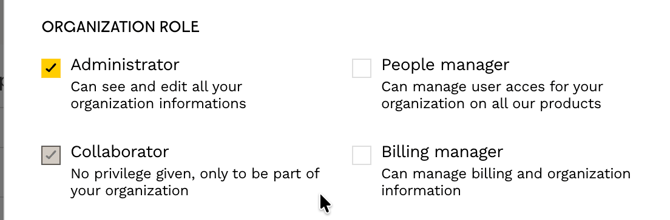
⚠️ We recommend having at least two organization-level Administrators, or at least one People Manager and one Billing Manager in addition to an Administrator. If one of them is unavailable, they can take over managing members access and company billing.
In addition to an organization-level role, members need the appropriate access and a specific role to use Welcome Hiring Suite products. The following sections detail the different access levels and roles.
AI assisted ATS-level roles:
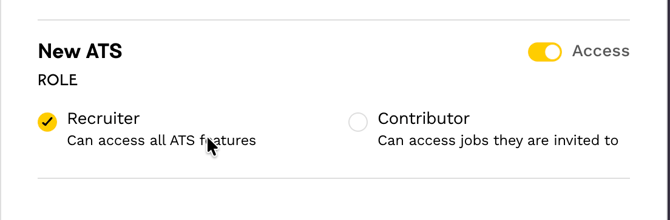
In the new ATS, two roles are available for your team members:
- Recruiter: can access all ATS features
- Contributor: can only access the job offers they have been invited to
To invite a contributor to a job post, go to the pipeline settings of the relevant job, under the Hiring Team tab, add the desired member, then save the change.
Sourcing-level roles:
-
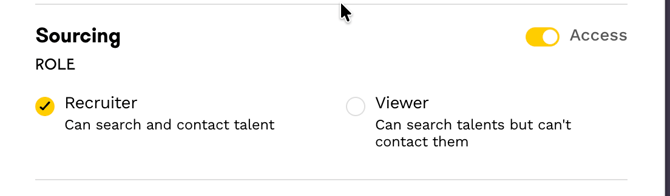
Recruiter Access:
- Full access to all Sourcing tool features
- Unlimited search in the talent pool
- Ability to select and directly contact candidates
- Creation and management of sourcing projects
-
Guest Access
- Limited access to consultation features
- View existing projects and their details (associated job offers, favorite talents, etc.)
- Consultation of talent information in the favorites list or already contacted
Employer Brand-level roles:
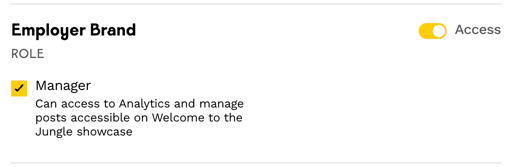
This product only has one available role:
Manager : access to Analytics features and manage showcase modifications
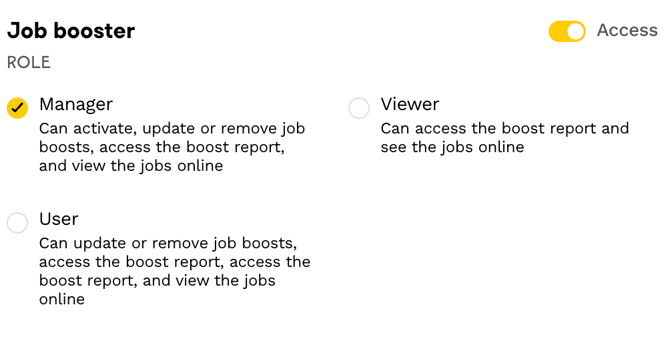
Job booster-level roles:
-
Manager: can activate a Job Booster
-
User: can modify the Job Booster and access the activity report
-
Guest: can access the Boost report
ATS (Ex-Welcome Kit) level roles:
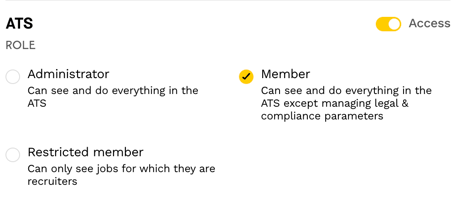
In ATS (Ex-Welcome Kit), three statuses are available:
-
Admin
-
Full access to all ATS (ex-Welcome kit) functionalities
-
-
Member
-
Can do everything in the tool except creating a career website (different from the Welcome to the Jungle profile)
-
-
Restricted membership
-
Can only view applications on job post pipeline to which they are assigned recruiters
-
Cannot create job posts
-
Cannot edit jobs already created
-
⚠️ Important: A restricted member will have access to all applications related to jobs to which they are assigned, even if some applications are archived. All comments and assessments are open to any member who follows the job offers.
Our recommendations:
- To publish/republish offers: minimum Simple member role
- To invite other collaborators: "User Management" or "Administrator" access required
- Have at least 2 administrator members in case of absence, as Welcome to the Jungle cannot open access to a member for RGPD reasons
❓FAQ - Frequently Asked
Q: How many licenses can I use?
A: You can use an unlimited number of licenses. There is no need to limit the number of members you invite.
Q: How many organization-level Administrators should I have?
A: We recommend having at least two organization-level Administrators. You can also have one People Manager and one Billing Manager in addition to an Administrator.
Q: Can a restricted member view all applications?
A: A restricted member can view all applications associated with the job posts to which they are assigned, including archived applications.
Q: What happens if I forget my password and I am the only Administrator?
A: For General Data Protection Regulation reasons, Welcome to the Jungle cannot grant another member access to your account. We recommend having several Administrators to avoid losing access if the only Administrator is unavailable.
🆘 If you have any further questions, you can contact us using the support widget at the bottom right, or on the contact form at this link