
Table of contents
- 🏗️ Building a Unified Recruitment Process
- 👥 Managing Roles and Collaboration
- 🤝 Optimizing Collaboration Between Recruiters
- 📊 Ensuring Fair Treatment of Candidates
- 🌐 Optimizing Your Employer Brand Outreach
- ❓ FAQ
💡 Want to make the most of your Welcome to the Jungle Solutions ATS? This article outlines the key steps to build an effective and unified recruitment strategy within your company, maximizing the use of all the tools at your disposal.
🏗️ Building a Unified Recruitment Process
Welcome to the Jungle Solutions ATS allows you to intuitively customize the recruitment stages that candidates go through. A default workflow is provided, which you can adapt for all your job postings or for a specific offer. Customize your application pipeline:
 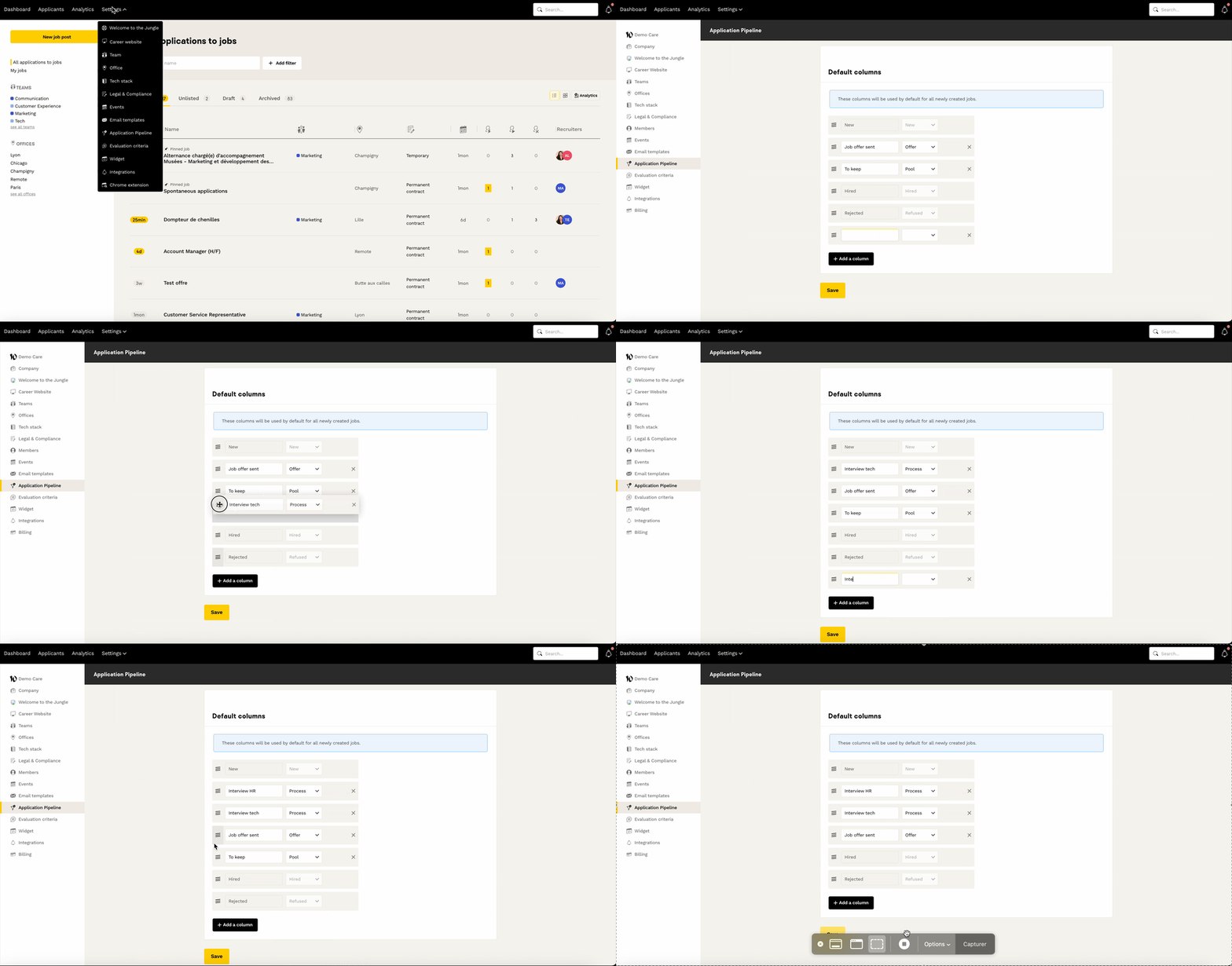 For example, if each application goes through a screening, then a call, then a practical case before the final interview, you can adjust the columns accordingly. Take advantage of adopting Welcome to the Jungle Solutions ATS to review your recruitment steps and eliminate unnecessary ones.
👥 Managing Roles and Collaboration
Unlimited licenses and roles: The 3 available role types:- Admin: Can do everything in the tool (HR management, decision-making roles)
- Member: Can do everything except manage billing and access (HR teams and managers)
- Restricted Member: Can view the pipeline for jobs where they are a recruiter, but cannot create or edit job postings (occasional managers). More information in this article.
More information here .
🤝 Optimizing Collaboration Between Recruiters
Welcome to the Jungle Solutions ATS encourages exchanges between recruiters within the tool, helping you avoid the usual CV exchanges by email, phone, or Slack.Collaborative actions available:
- Comment on an application and draw a colleague’s attention to specific points
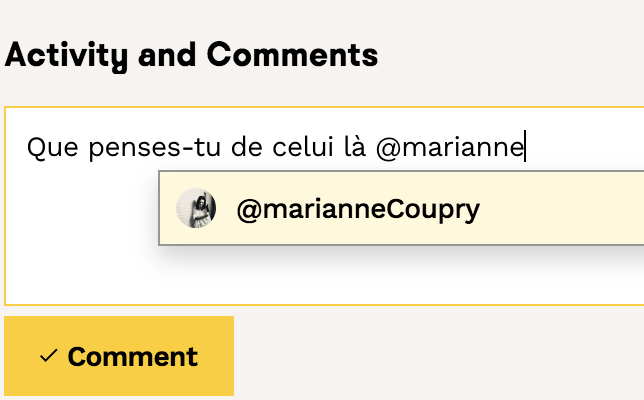
- Take interview notes
- Use an evaluation grid with precise criteria

📊 Ensuring Fair Treatment of Candidates
"GIVE YOUR CANDIDATES THE SAME EXPERIENCE AS YOUR CLIENTS" One of the pillars of employer branding is how candidates are treated. Every candidate deserves special attention and equal treatment, regardless of the job or recruiter. Tools to ensure fairness:- Customizable rejection and interview email templates
- Tracking statistics by job and recruiter (response rates and times)
- Customizable pipelines by job posting
🌐 Optimizing Your Employer Brand Outreach
Identify sources of applications:
You should identify the various possible sources of candidates to establish solid KPIs from the very start of using the ATS.
Choose your distribution strategy:
Decide on which platforms, job boards, and social media you want to post your offers, and decide where candidates will “land” after clicking “Apply” (WTTJ, your company website, career page, etc.).
❓ FAQ
Can I customize the recruitment steps?
Yes, you can adapt the default pipeline for all your job postings or a specific offer via ATS Settings > Candidate Pipeline.
How many users can access the ATS?
The number of licenses is unlimited. You can invite all team members involved in recruitment with different access levels.
How can I ensure fair treatment of candidates?
Use the shared evaluation grid, standardized message templates, and track treatment statistics by recruiter and by offer.
Is collaboration between recruiters easy?
Yes, the tool allows you to recommend or not recommend candidates, assign scores, comment on applications, and communicate directly within the interface.
How do I post my job offers?
You can manage the publication on the platforms of your choice yourself.
🆘 If you still have questions or doubts, you can contact us using the chat widget on the bottom right, or via our contact form at this link