
Table of contents
- ✍️ Create your job posting in the ATS
- Access the creation form
- Write your job posting content
- Formatting with Markdown syntax
- ⚙️ Configure your posting for publication
- 📋 Choose the documents requested from candidates
- ❓ Add custom questions
- 👨💼 Assign recruiters to the posting
- 🌐 Set your posting distribution
- 🛠️ Edit an existing posting
- 📚 FAQ
💡 This article guides you through the complete creation of your job postings in Welcome to the Jungle Solutions ATS, from the initial drafting to final publication.
✍️ Create your job posting in the ATS
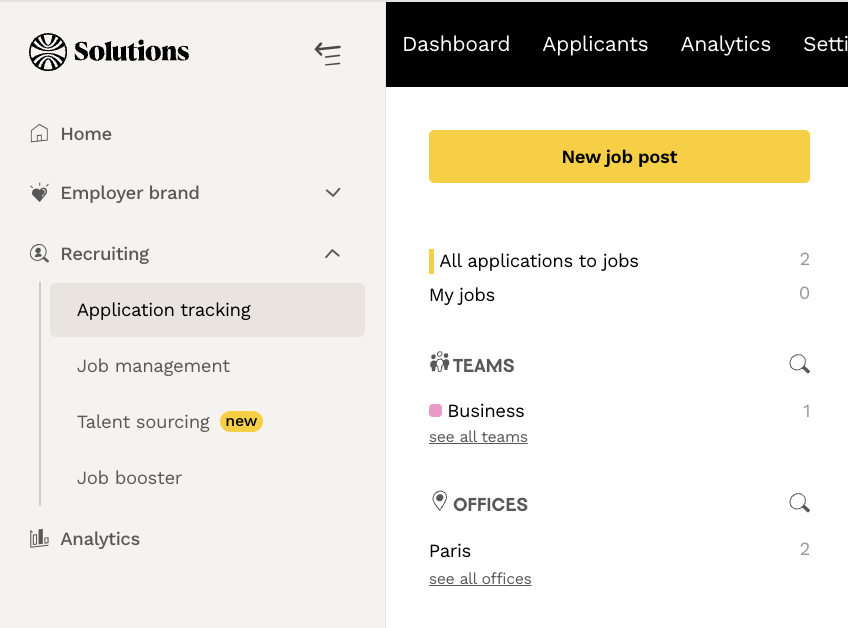
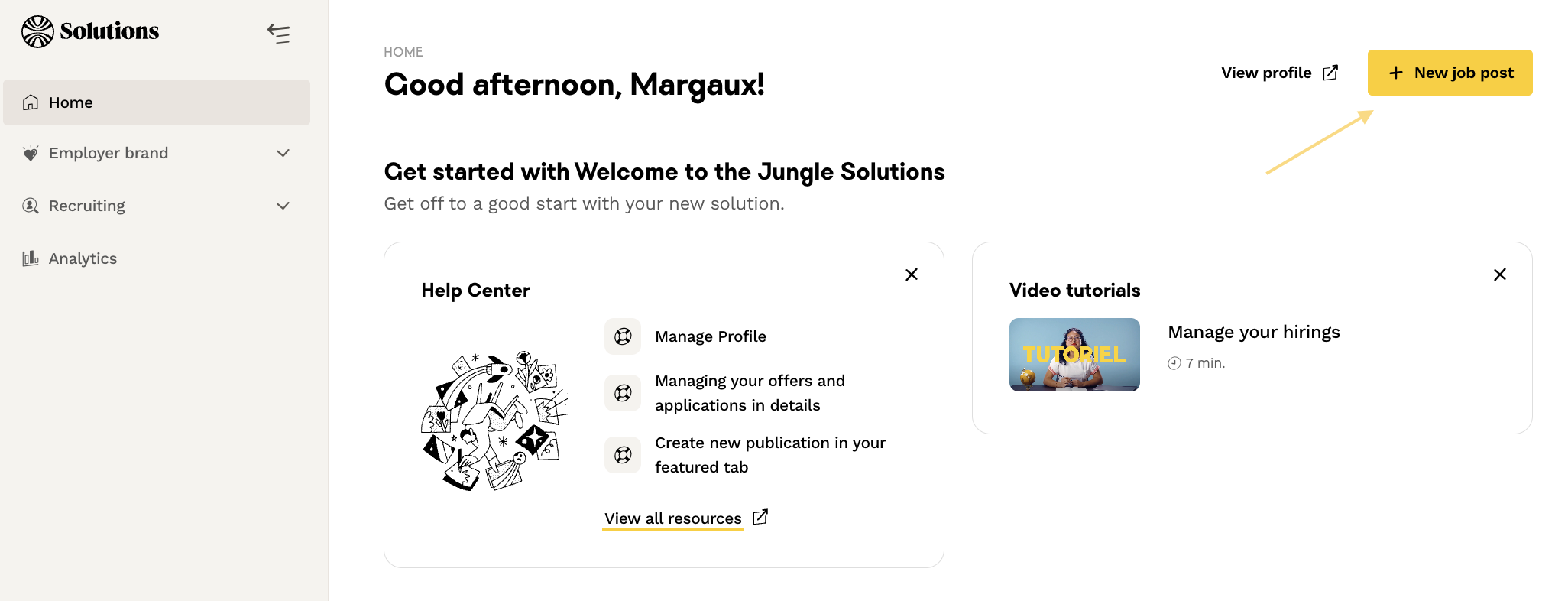
Access the creation form
- From your dashboard, click the “Add a job” button
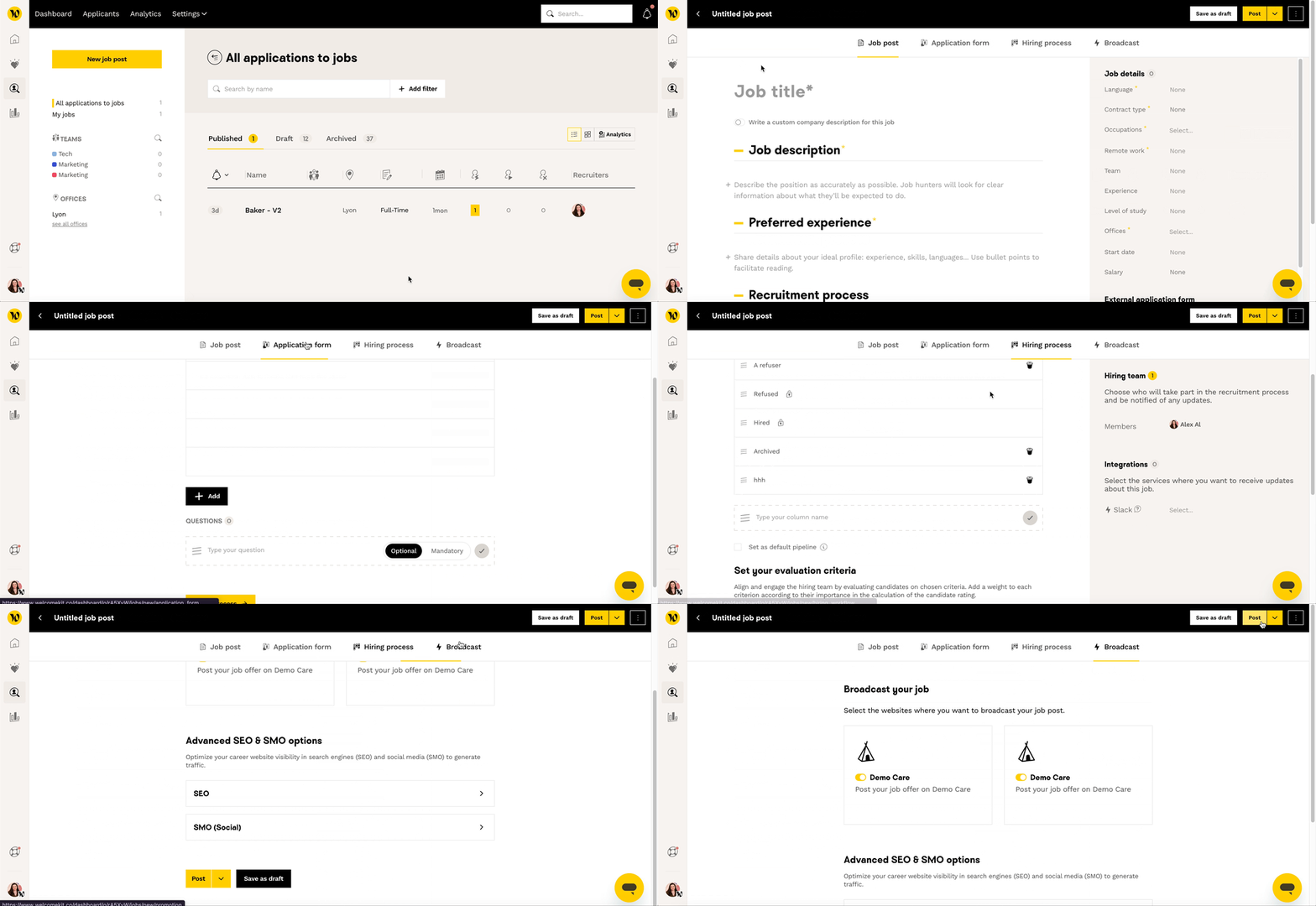
- You will be redirected to the creation form
Write your job posting content
Formatting with Markdown syntax
- Bold text: wrap the text with two asterisks
**text**(no spaces between the text and the asterisks) - Bulleted list: start each item with an asterisk followed by a space
*for top-level items, and a hyphen followed by a space-for sub-items - Headings: start the heading with one or more hash signs followed by a space
#,##, or### - Hyperlinks: format as
[text](http://my-url.com)with no space between the brackets and parentheses
⚙️ Configure your posting for publication
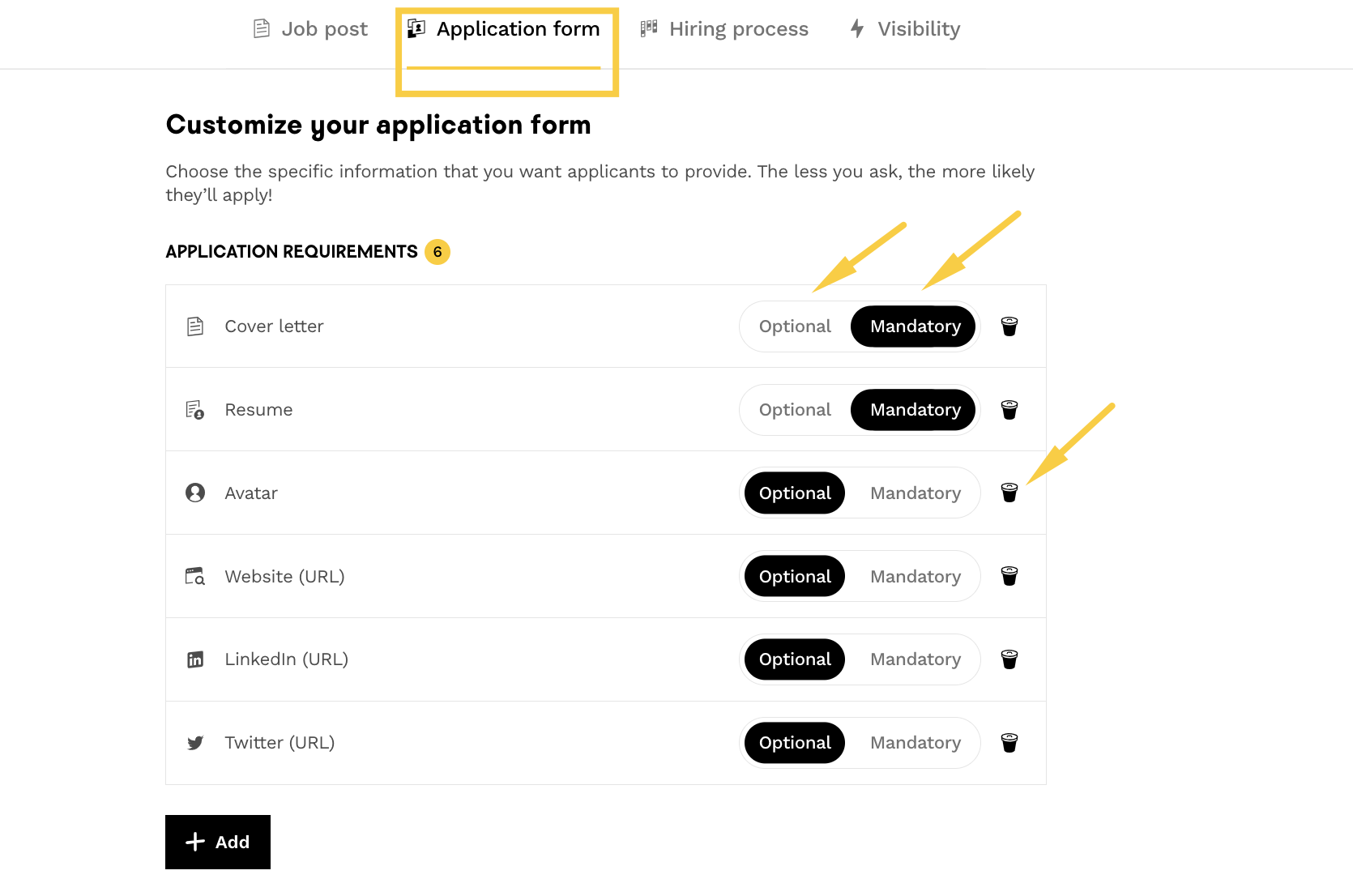
📋 Choose the documents requested from candidates
- Define which documents are needed (resume/CV, cover letter, portfolio, etc.)
- Set the status for each document: Mandatory / Optional / Disabled
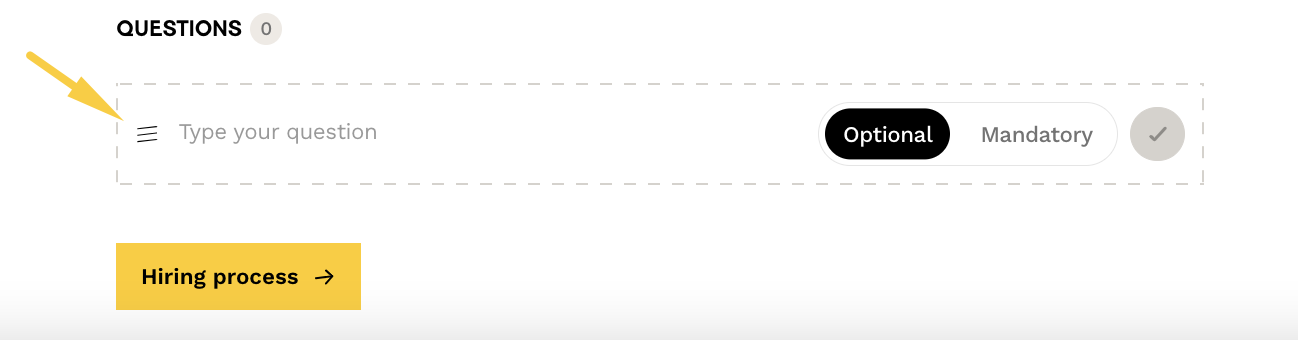
❓ Add custom questions
- Go to the “Application form” section
- Add open-ended questions in the “Question” field
- Candidate responses will appear on their profile, between the cover letter and the application history
👨💼 Assign recruiters to the posting
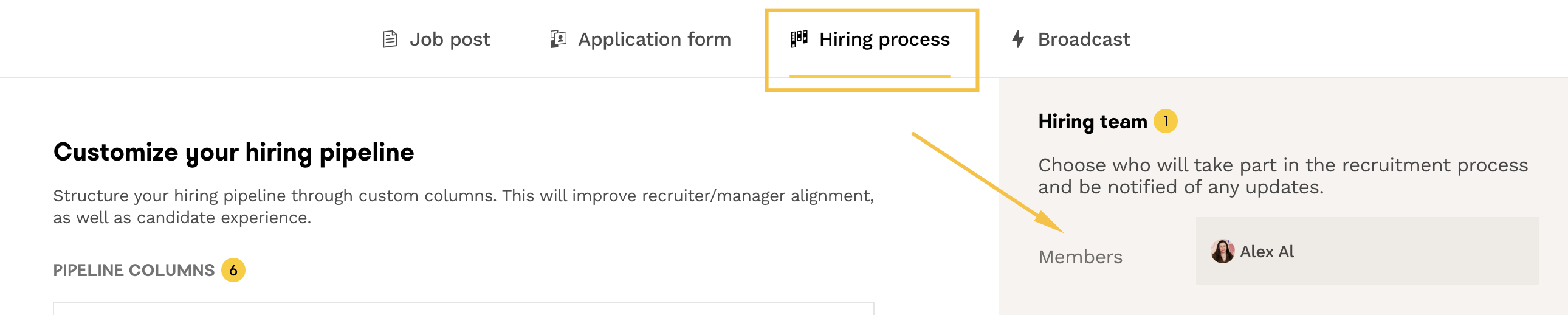
- Select the recruiters who will follow this posting
- They will receive notifications about the posting’s activity via:
- Weekly email summaries
- Notifications via the “bell” icon on the platform
🌐 Set your posting distribution
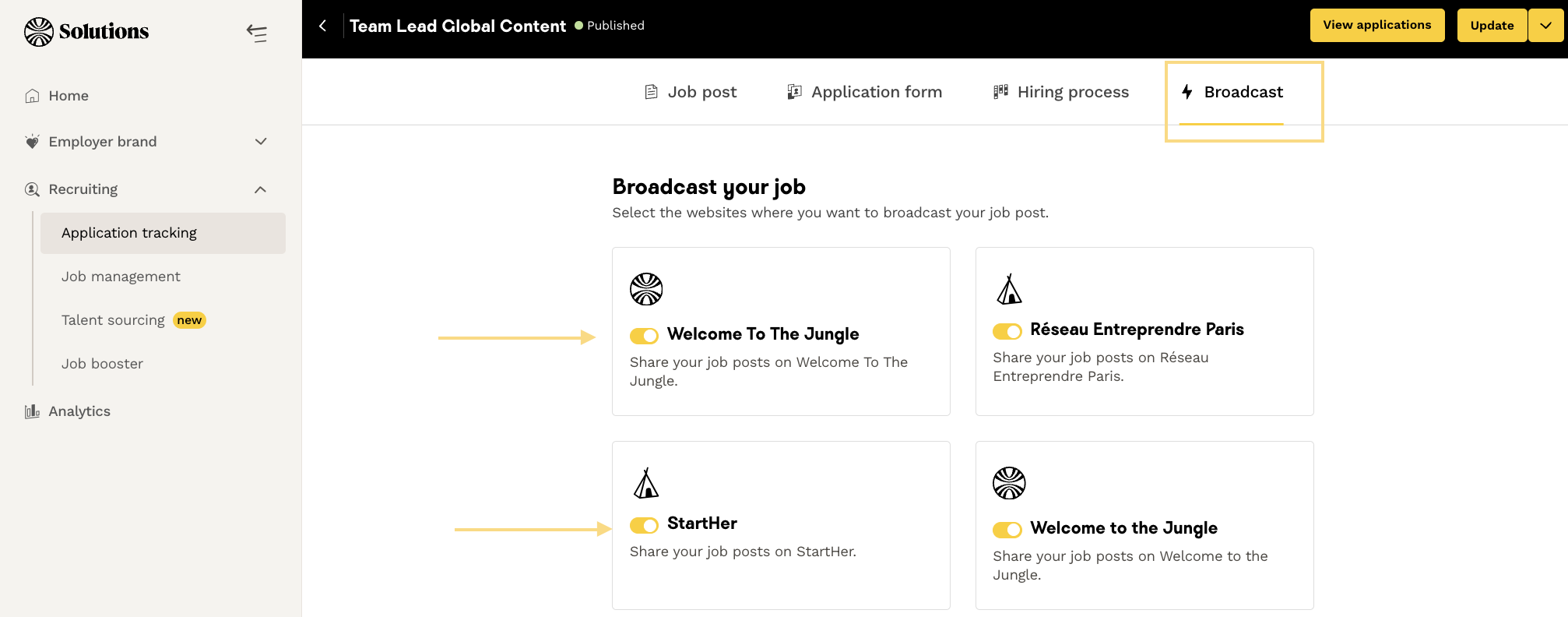
- On your Welcome to the Jungle profile
- On your Welcome to the Jungle Solutions ATS career site
- On job boards or partner sites
- On LinkedIn or APEC (if your subscription includes it)
🛠️ Edit an existing posting
- Click the “Edit” button to the right of the posting on the ATS dashboard
- Or access it from the pipeline of the posting you want to modify

📚 FAQ
Q: Who can create and edit job postings?
A: Only recruiters with the “Administrator” or “Member” role can create and edit postings.
Q: How do I make text bold in my posting description?
A: Use Markdown: wrap your text with two asterisks:
**bold text**Q: Can I collaborate on a posting with colleagues?
A: Yes, the ATS is collaborative. You can save a posting as a draft and share it with other recruiters for edits.
Q: How do I add custom questions for candidates?
A: In the edit form, in the “Application form” section, add your questions in the “Question” field at the bottom of the page.
Q: What happens if I assign recruiters to my posting?
A: They will receive daily notifications about the posting’s activity and can follow applications.
Q: Where can I publish my posting?
A: You can choose to publish on your Welcome to the Jungle profile, your career site, and/or partner sites via the “Visibility” section.
🆘 If you still have questions or doubts, you can contact us using the chat widget on the bottom right, or via our contact form at this link