
Table of contents
- Application tracking: the essentials 💼
- What kind of external ATS do you use? 🧩
- 1. Generic ATS: tracking code not required
- 2. Specific ATS: a specific tracking code is needed
- Why is it important to give your tracking code❓
- Redirect to your external ATS without integration ⛓️💥
💡 If you use an ATS that is not theWelcome to the Jungle Solutions ATS , and would like your applications to go directly into your tool, this article is for you!
🔒 This feature is not available for all Welcome to the Jungle subscription plans. You must have a Pro, Pro+ , Premium, Master or Expert subscription plan. If you don't have access to this feature, and would like to discuss updating your subscription plan with our sales team, write to us using the support widget!
Application tracking: the essentials 💼
When you publish a job post on Welcome to the Jungle, you have two options:
- Use our ATS directly from your Welcome to the Jungle Solutions space
- Use an external ATS
If you use an external ATS, it's essential for you to be able to effectively track applications generated by our job board directly in your ATS tool. To do this, you need to set up your tracking code to quickly identify the applications coming from Welcome to the Jungle in your own ATS.
What kind of external ATS do you use? 🧩
We distinguish between two categories of external ATS, depending on how they handle tracking codes:
1. Generic ATS: tracking code not required
No need to create a specific tracking code from your ATS, we automatically generate a default tracking code for you.
🎯 These ATS are:
Workable, SmartRecruiters, Recruitee, Lever, JazzHR, Ashby, Teamtailor, Workday
Good to know: You can change this code in your organization settings or during your onboarding.
2. Specific ATS: a specific tracking code is needed
Your ATS requires you to create specific tracking code for each source (like Welcome to the Jungle).
We can't generate it for you, but we'll guide you step by step through the process to find it. You can find all the information you need inthis dedicated section by clicking on the article corresponding to your ATS.
🎯 These ATS are:
Greenhouse, Talentsoft, Flatchr, BambooHR
Where to set up your tracking code? 🔧
We'll guide you through every step:
- During your onboarding on Welcome to the Jungle
- From your account in the organization settings.
Why is it important to give your tracking code❓
The tracking code is essential to:
- Track the applications you receive thanks to your Welcome to the Jungle profile
- Measure the effectiveness of your employer brand's influence on Welcome to the Jungle
- Optimize your sourcing
Redirect to your external ATS without integration ⛓️💥
To redirect applications to your external ATS without integration, you need to create the job from the Welcome to the Jungle ATS. Then, in the "job details" section of the job post creation form, you must enter the URL of your posts in the bottom right-hand corner of the screen in the "External URL" field:
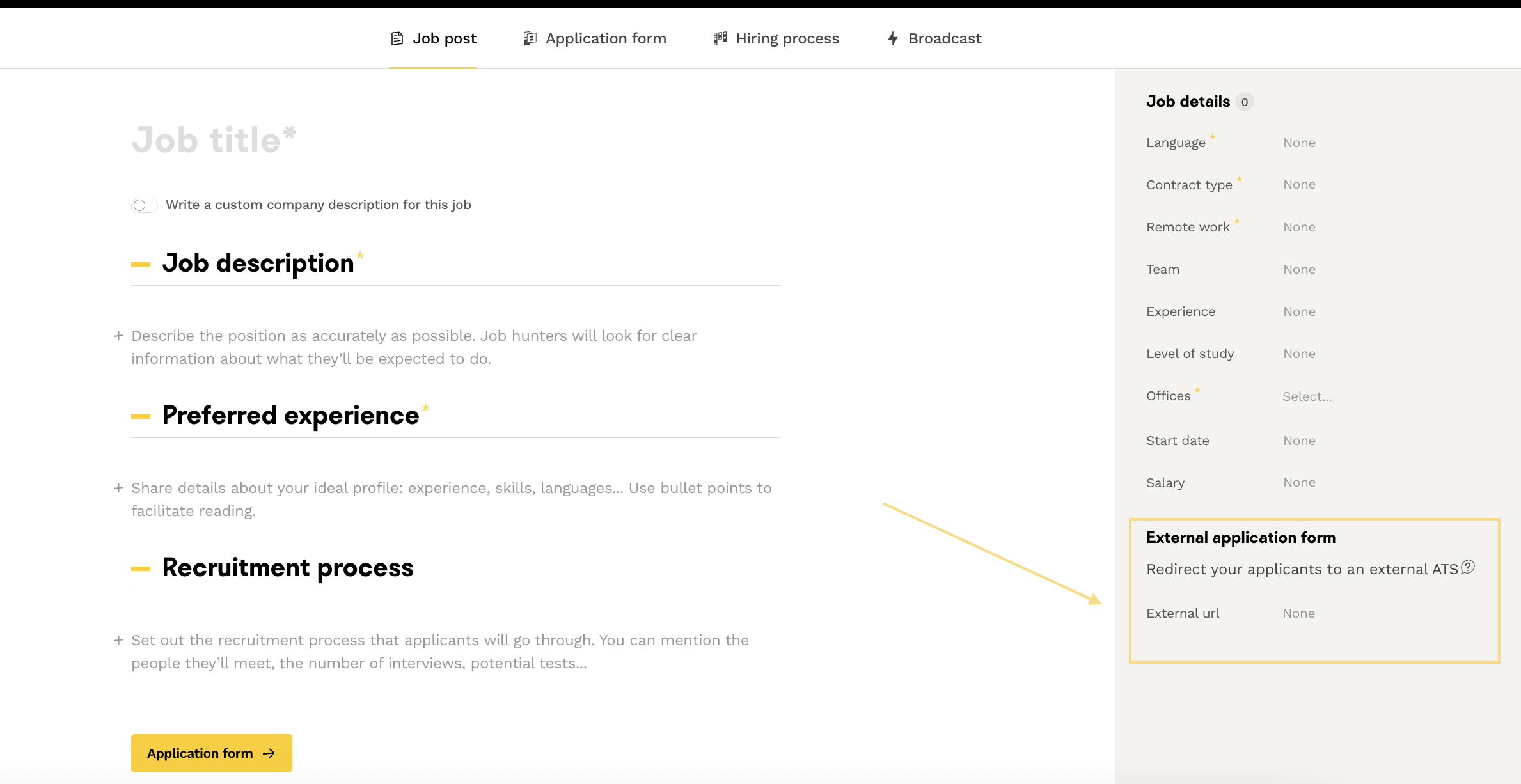
When adding a new link (or deleting an existing one), it takes a few minutes for the action to take effect .
The gif below shows what happens when a candidate is redirected to another ATS:
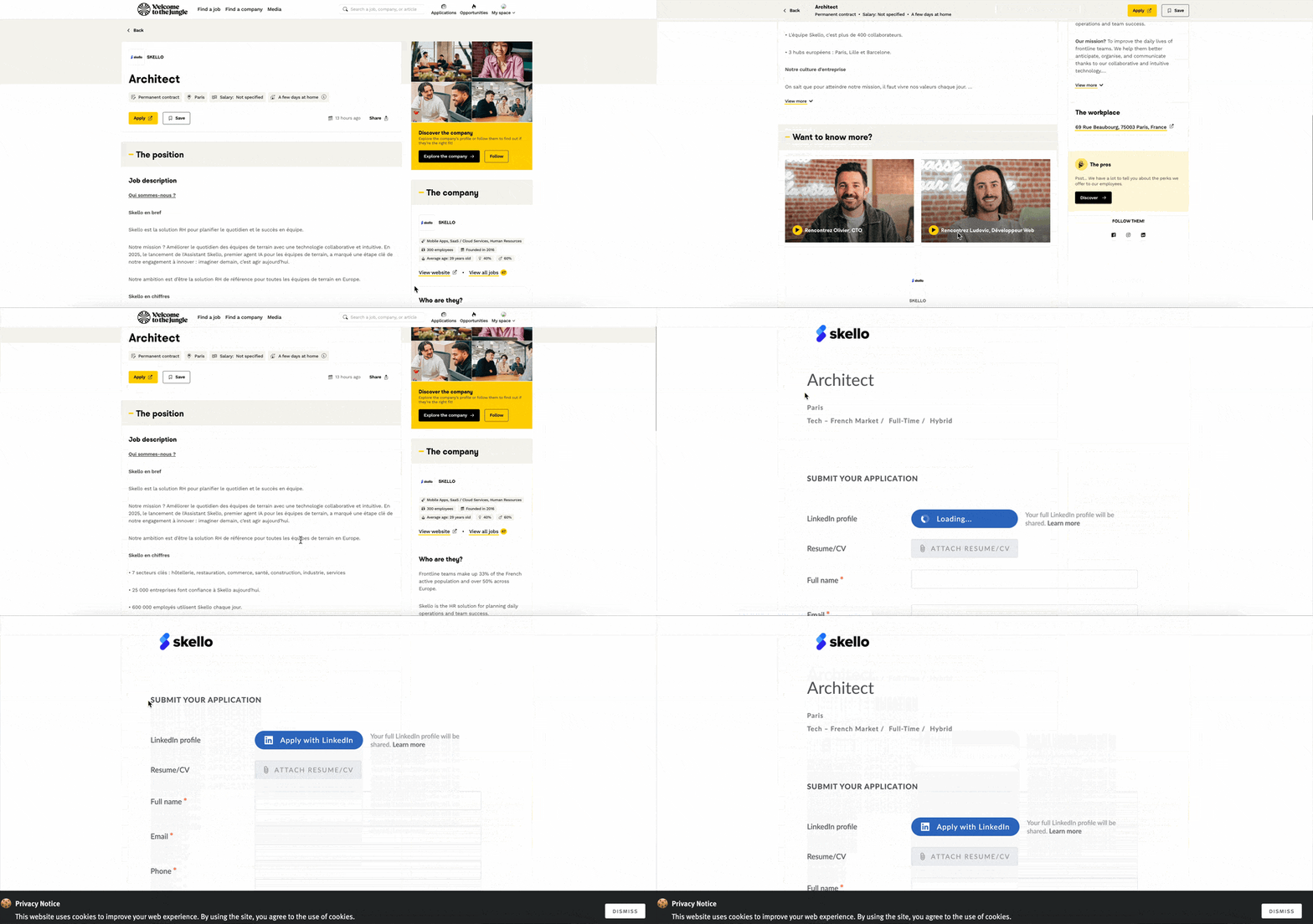
🆘 If you have any further questions, you can contact us using the support widget at the bottom right, or the contact format this link