
💡 If you're wondering which products you have access to in the Welcome to the Jungle suite, and with which role, this article is for you!
View my accesses
When someone opens the Welcome to the Jungle Solutions ATS access for you, they will allow different kinds of access:
- Access to the Administration Center
- Access to the Welcome to the Jungle Solutions ATS
- Access to Employer brand (Analytics, Job booster and Featured)
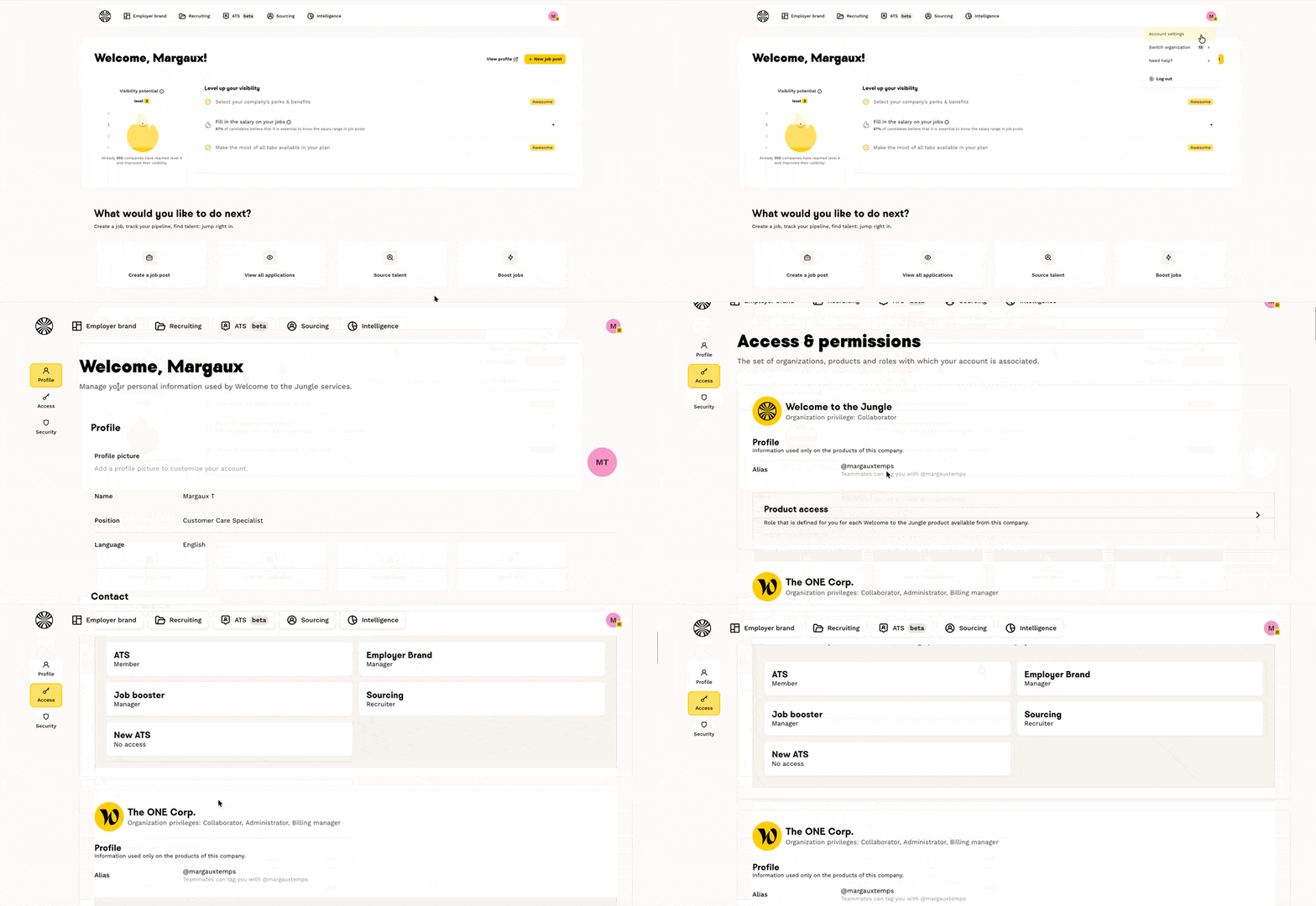
To know what your roles are, it's very simple:
- Go to your Admin Space
- Click on your icon at the top right of the screen
- Click on "Account Settings"
- Click on the "Access" tab
💡To see the details of your roles for each product, click on the "product access" tab:
👉 You want to know more about the rights of each role? We tell you everything here!
Rewiew your subsciption plan
This feature is only available for new subscription plans: Standard, Premium, and Expert.
- Go to your Welcome to the Jungle ATS Solutions account, from the “Recruitment” and “Application Tracking” sections (this gives you access to the “old” ATS)
- At the bottom left of your screen, you will see a box with the name of your plan (for example: Standard)
- Click on this box to open the details of your plan
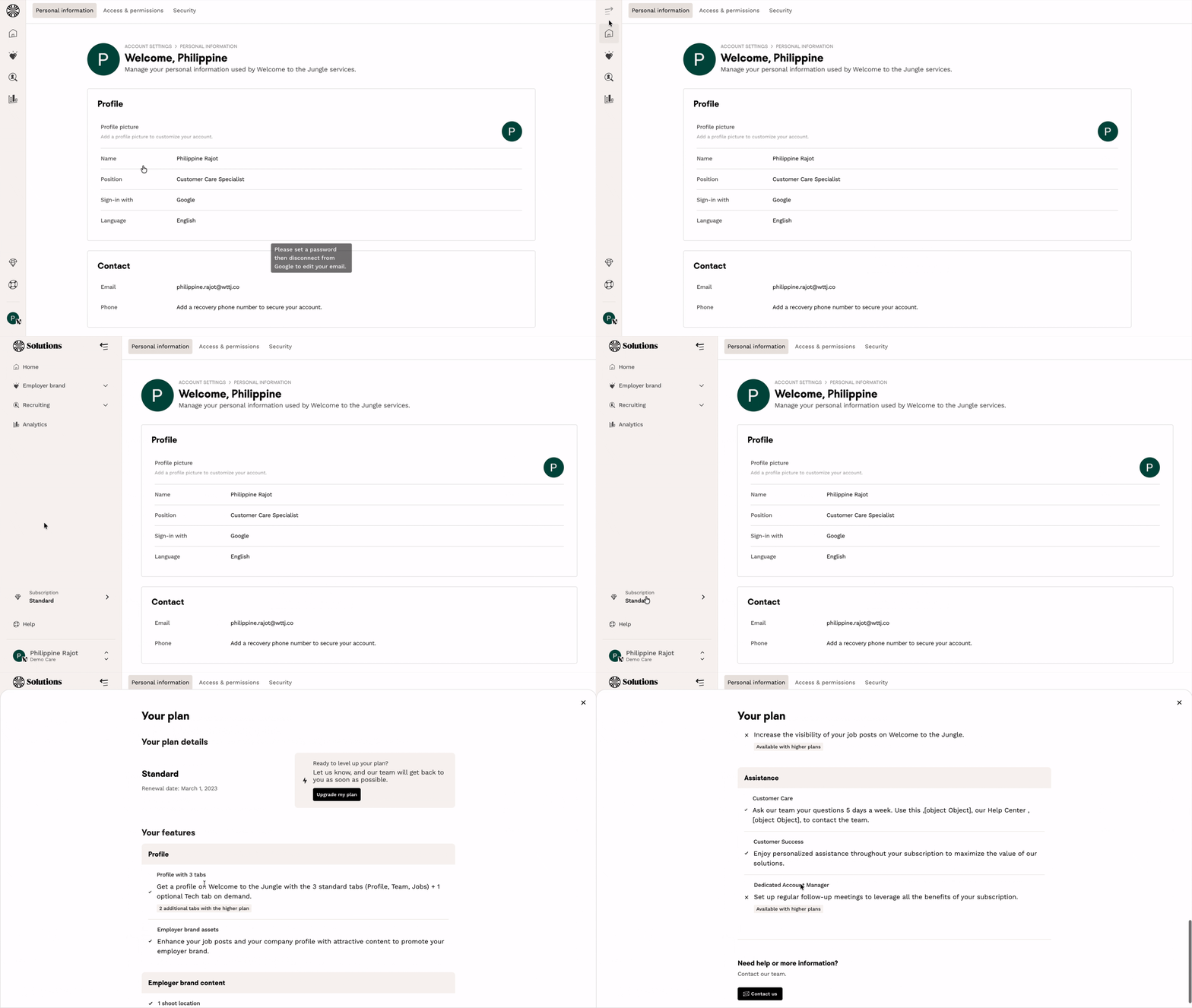
You will then see a complete overview including:
- The name of your plan (Standard, Premium or Expert)
- The renewal date of your subscription
- A detailed list of all the features available to you, organised by category:
- Profile
- Employer brand content
-
Performance monitoring
- Recruitment
- Assistance
💡 For each feature, you will also see the additional options available with higher-tier plans.
🆘 If you have any other questions, you can contact us using the support widget at the bottom right, or the contact form at this link