Table of contents
- 🏉 What is Job Booster?
- 📝 How to promote a job post with Job Booster?
- Method 1: From the Job Booster tab
- Method 2: From the boost history
- Method 3: From the list of published jobs
- 🔄 How to edit a boosted job?
- 📊 How to view Job Booster statistics?
- Accessing the statistics
- Understanding the data
- ❓ FAQ - Frequently Asked Questions
🔐 Important: this article refers to a feature limited to certain packages. If you'd like to talk to our sales team about updating your subscription, write to us on the support widget!
🏉 What is Job Booster?
Job Booster is a sponsoring tool that puts your job post at the top of search results. Once activated, each boost is valid for 30 days and you can change the promoted job as many times as you like during this period.
A boost can only be used once. Once activated and used, it will only be renewed on the anniversary date of your subscription contract.
When a candidate searches with keywords matching your sponsored job, it will appear at the top of the results page with distinct visual elements such as the “Actively Recruiting” label:
📝 How to promote a job post with Job Booster?
There are three ways to select and boost a job post:
Method 1: From the Job Booster tab
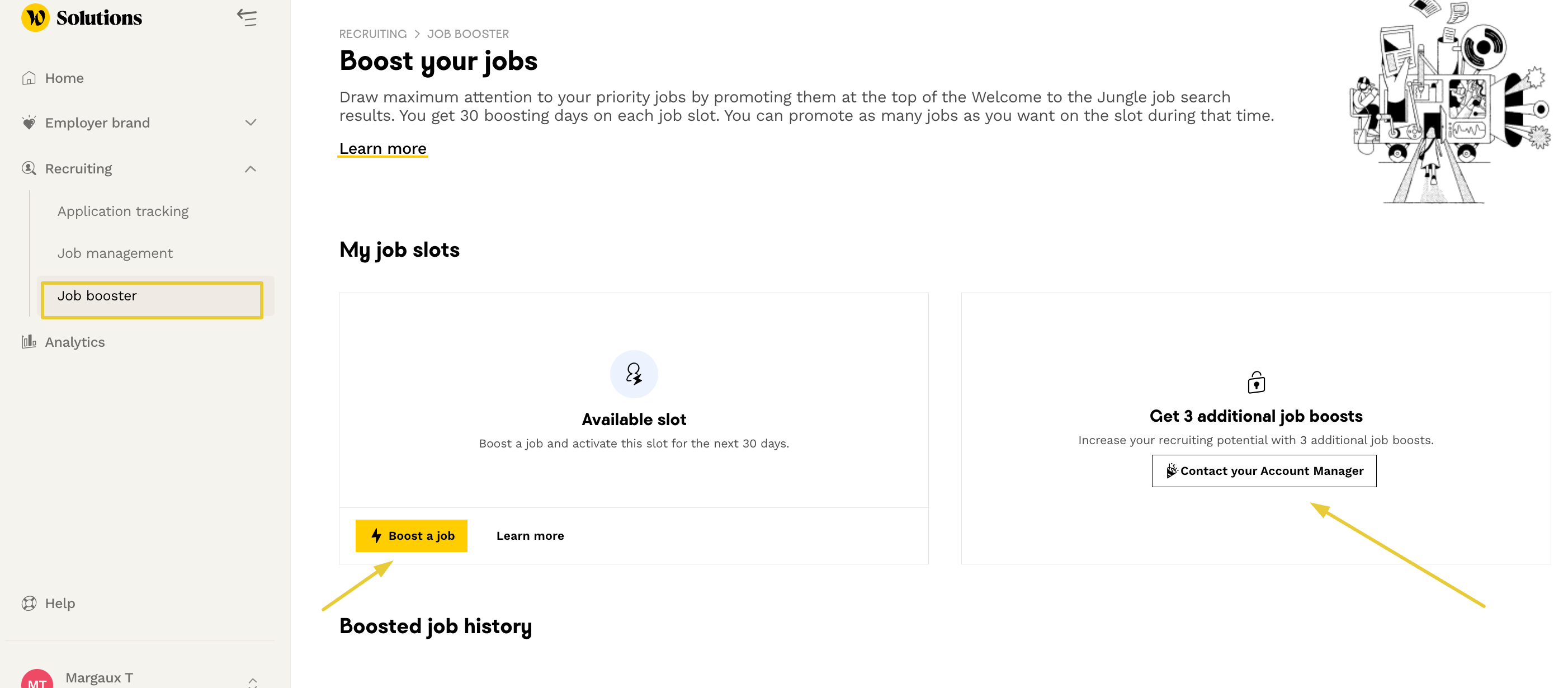
- Go to the “Recruitment” section and then “Job Booster” in the WttJ Solutions platform
- If you have available boosts, click on “Boost a job”
- Select the job you wish to sponsor
Method 2: From the boost history
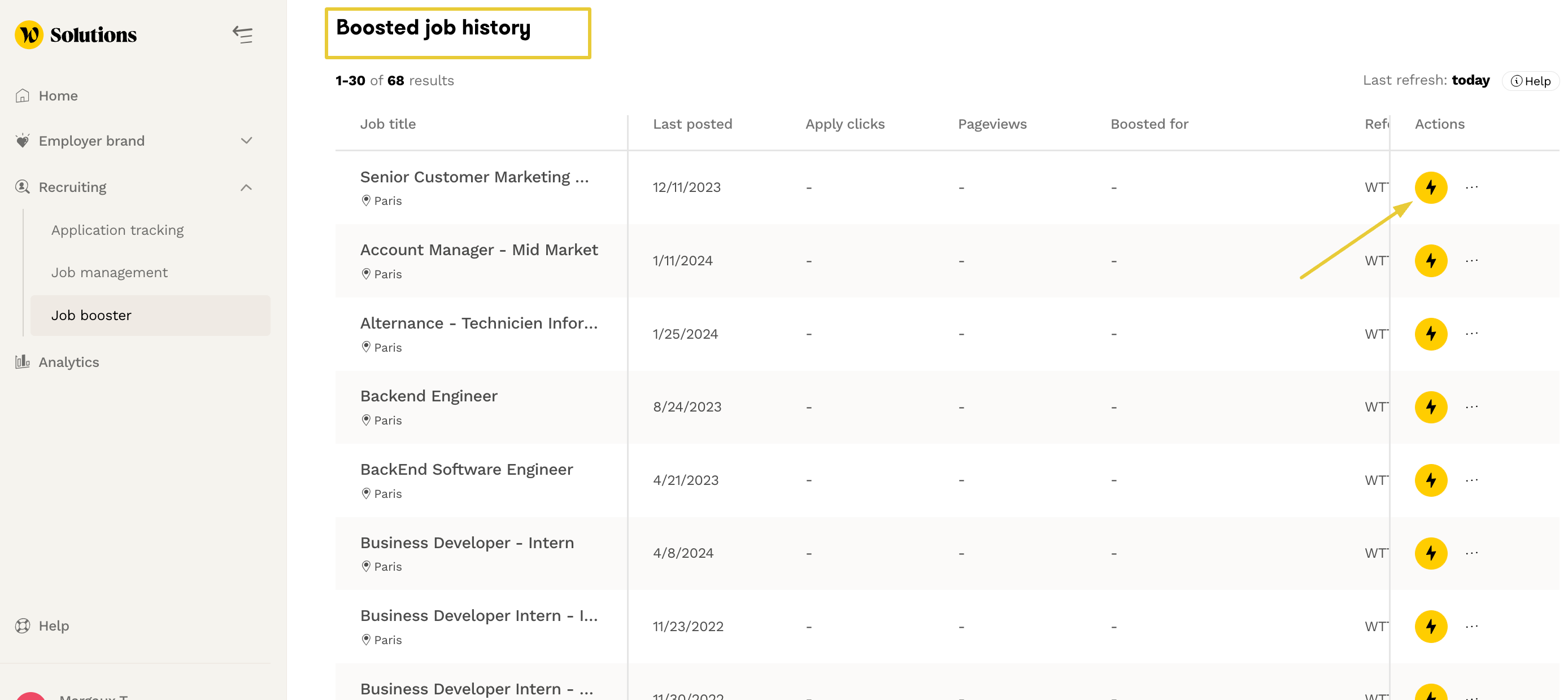
- In the Job Booster tab, check the history of previously boosted jobs at the bottom of the page
- To reactivate the boost on a job, simply click on the lightning icon
Method 3: From the list of published jobs
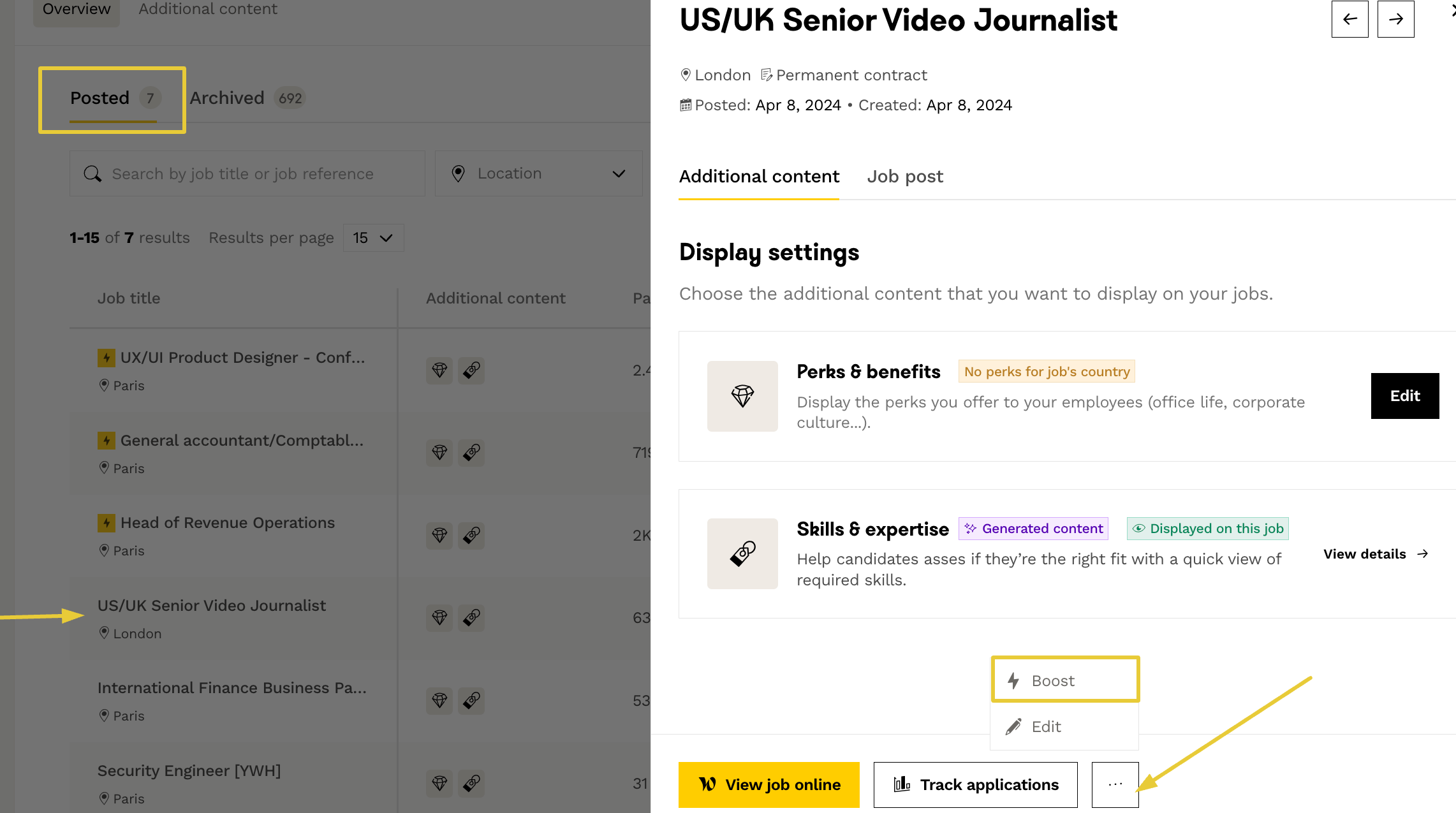
- Access your list of job posts directly
- Choose an available boost or replace a currently boosted job with another one
🔄 How to edit a boosted job?
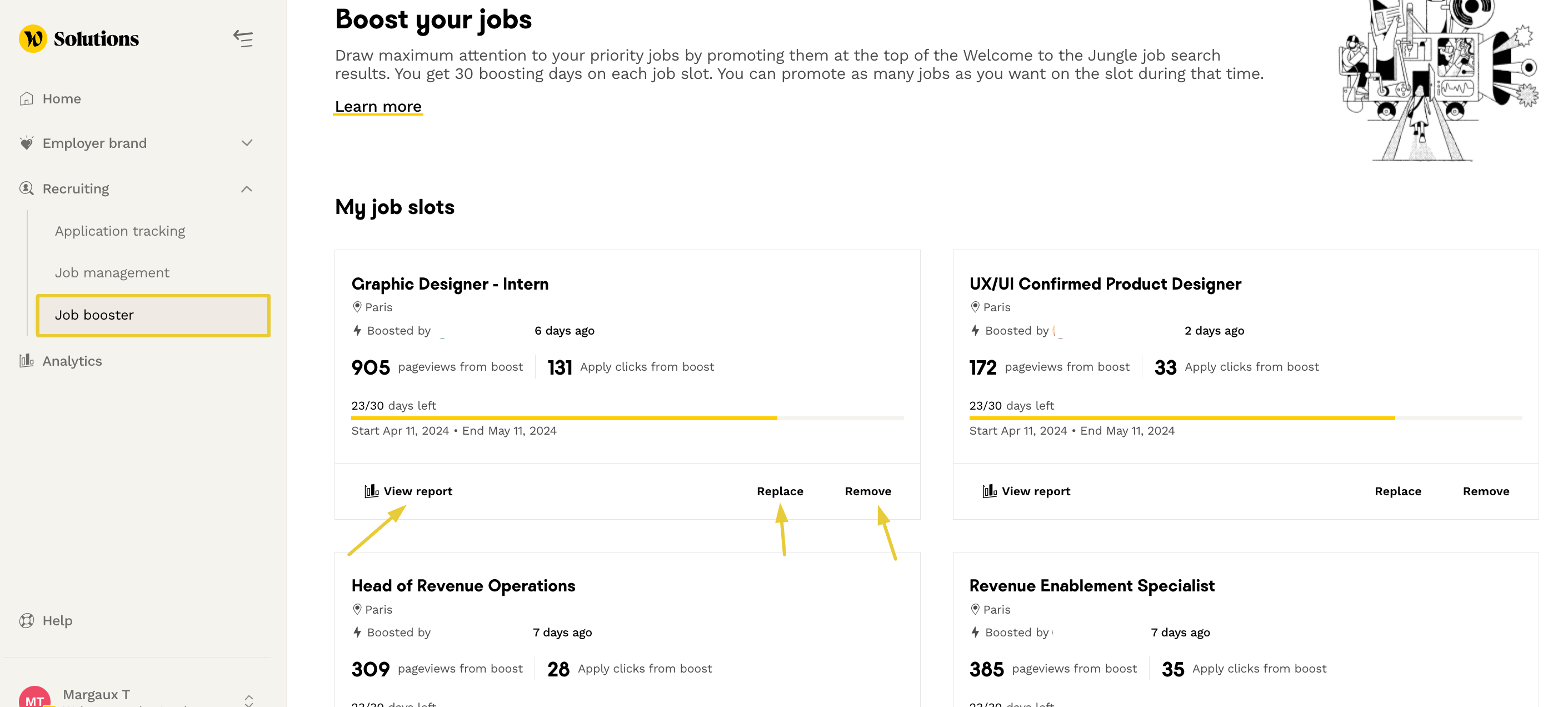
You can modify your sponsored jobat any time from the Job Booster area:
- "Replace": to boost another job instead of the current one
- "Remove": to completely stop the boost
⚠️ Please note: Once activated, each boost remains valid for 30 days. If you remove it before the end of this period, the countdown will not be paused. Also, changing too frequently may limit the impact of each boost.
A boost can only be used once. Once activated and used, it will only be renewed on the anniversary date of your subscription contract.
📊 How to view Job Booster statistics?
Accessing the statistics
To view the performance of your boosted jobs, there are two options:
- Active jobs: click on “View report”
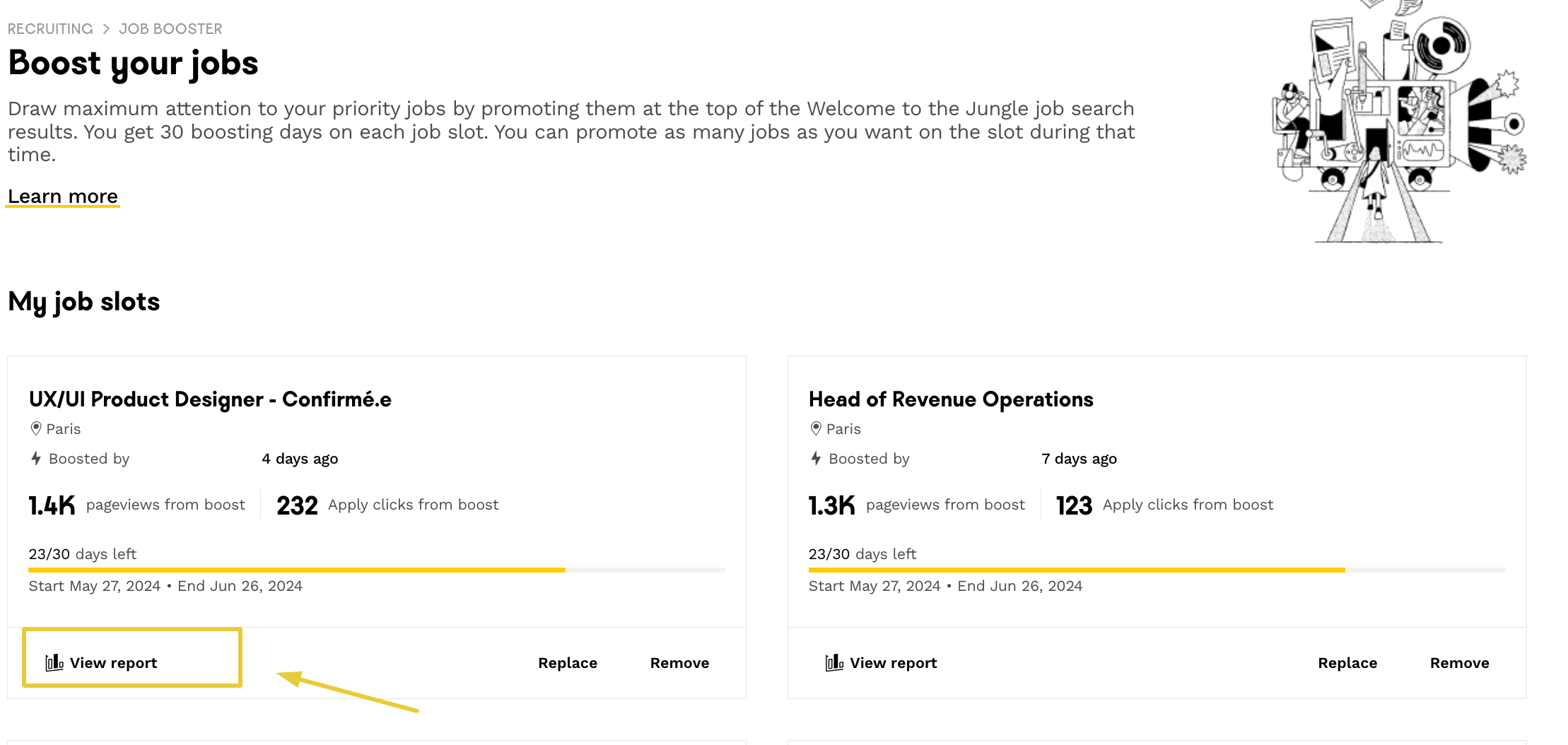
- History: click on “Report” to the right of previously boosted jobs

⚠️ Statistics linked to boosts remain available for up to twelve months after the boost's expiration date, either the job is still online or not.
In addition, you can filter your boosts history by job status, location or contract type:

Understanding the data
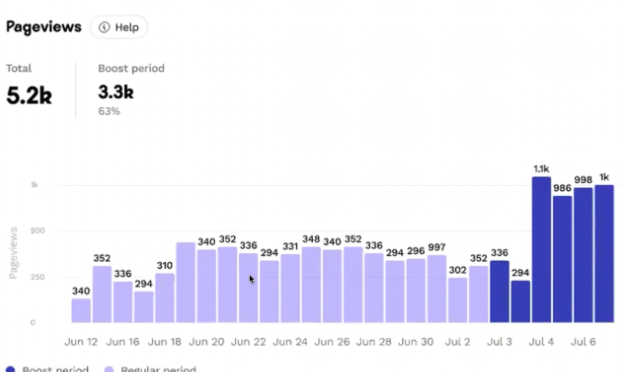
The statistics give you access to two key indicators:
Page views trend:
- Light purple: period when the job is not sponsored
- Dark purple: period when the job is sponsored
Clicks trend:
- Light green: period when the job is not boosted
- Dark green: period when the job is boosted
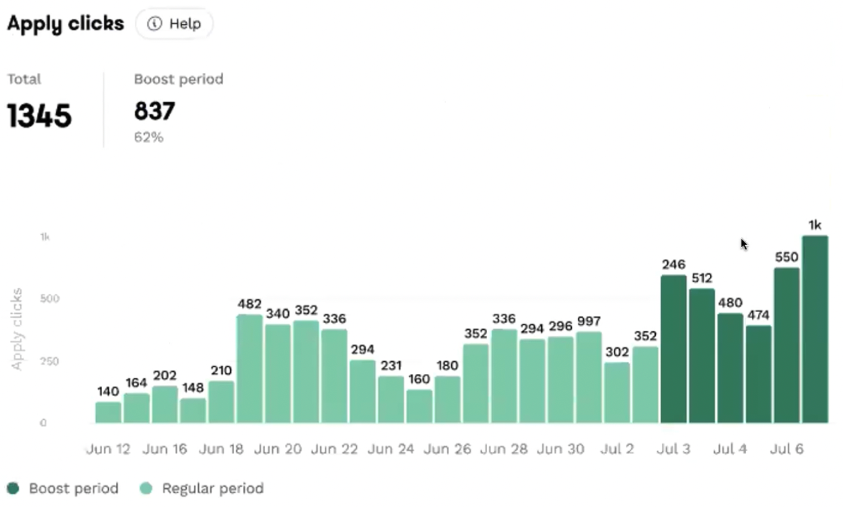
📝 Please note: Statistics are calculated over the last 2 months and updated once a day. It is currently not possible to export these reports.
❓ FAQ - Frequently Asked Questions
- How long does a boost last? Each boost is valid for 30 consecutive days from activation.
- Can I change the boosted job during the active period? Yes, you can change the promoted job as many times as you wish during the 30 days.
- Can I stop/pause a boost? No, once activated, a boost cannot be paused or deactivated.
- How often are the statistics updated? Statistics are updated every 24 hours.
- What happens if I change job posts several times in one day? You will only see the statistics for your last job. It is recommended to leave your job post for at least one day before replacing it.
- How can I get more boosts? Click on “contact your Account Manager” from the Job Booster tab to discuss this possibility.
- Is this feature available for all subscriptions? No, Job Booster is not accessible for all Welcome to the Jungle Solutions subscriptions.
🆘 If you have any further questions, you can contact us on the support widget at bottom right!