
Table of contents
💡 Do you want to update your email address or change your password on Welcome to the Jungle Solutions? This guide will walk you through the steps to secure and customize your account according to your needs.
Modifying your email address
If you have changed your email address and want to receive Welcome to the Jungle Solutions notifications in your new account, here's the procedure to follow:
- Go to the Admin Space
- Click on your avatar in the bottom left corner
- Select the "Configure your account" button
- Click on the "Personal Information" tab
- Scroll down to the "Contact Information" section
- Click on your current email address to modify it
⚠️ Important: To finalize this change, you will receive a confirmation email at your new email address. You must click on the validation link to definitively confirm your request.
Specific case: signing in with a Google or Microsoft account
How do I know if my account is linked to Google or Microsoft?
In your account settings, under “Personal information,” hover your mouse over your email address. If your account is linked, you’ll see this message: “Please disconnect from Google/Microsoft to change your email address.”
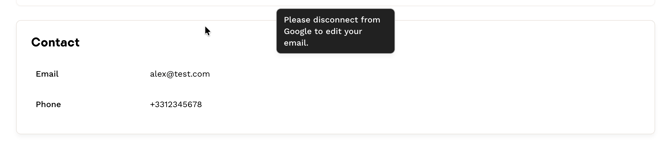
Disconnect your Google or Microsoft account
If your Welcome to the Jungle account is connected to Google or Microsoft, you must disconnect it before changing your email address.
Steps:
- Go to the Admin Space: https://admin.welcometothejungle.com/
- Click your avatar at the bottom left.
- Select “Account settings.”
- Open the “Security” tab: https://myaccount.welcometothejungle.com/me/security
- Click “Sign in with.”
- Click “Disconnect.”
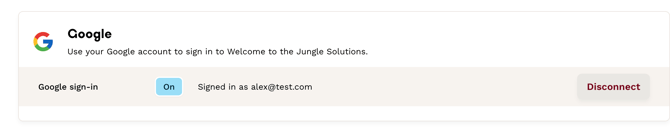
You can then update your email address by following the steps in the “Change your email address” section of this article.
Once your new email address is updated and confirmed, you can reconnect your Google/Microsoft account linked to this new address by following the same path.
🔒 Modifying your password
To change your password from your account, follow these steps:
- Go to theAdmin Space
- Click on your avatar in the bottom left corner
- Click on "Account Settings"
- Select the "Security" tab
- Click on "Password"
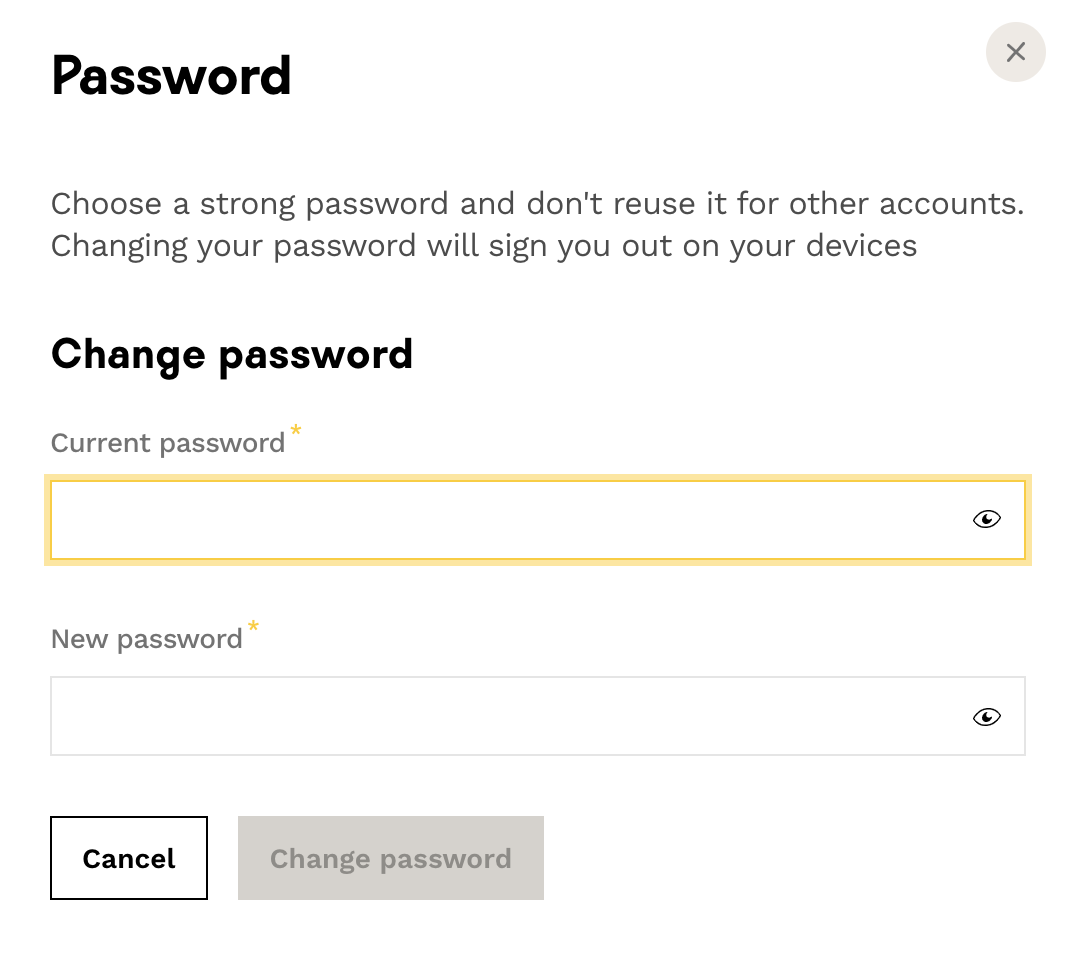
⚠️ Security recommendations:
- Choose a password that's difficult to guess
- Respect the minimum length of 8 characters
- Combine numbers, lowercase and uppercase letters, as well as punctuation characters
- Use a password manager to better protect all your accounts
Once the change is made, log out and log back in to verify that your new password works correctly.
❓ FAQ - Frequently Asked Questions
Q: How long does it take for the email change to be effective?
A: The change is immediate once you have clicked on the confirmation link received in your new email.
Q: What are the criteria for a secure password?
A: Minimum 8 characters with a combination of numbers, lowercase letters, uppercase letters, and special characters.
Q: What should I do if I don't receive the confirmation email?
A: Check your spam folder and make sure the new email address is correctly entered.
Q: Can I use the same password as before?
A: It is strongly recommended to choose a new, different password to enhance security
🆘 If you still have questions or doubts, you can contact us using the chat widget on the bottom right, or our contact form at this link