
Table of contents
- 🏠 Discover your Welcome Hiring Suite Homepage
- 🧭 Navigate easily between solutions
- ⚙️ Manage your organization settings
- 📹 Video training for administrators
- 🔒 Important information about subscriptions
- ❓ FAQ
💡You've just joined Welcome to the Jungle Solutions and wondering how to navigate effectively through our platform? This article guides you step by step to discover your new workspace and optimize your onboarding.
🏠 Discover your Welcome Hiring Suite homepage
Our homepage has been designed to bring all our solutions together in one place and facilitate your daily navigation.
The menu on the left allows you to navigate through our main categories:
- Employer Brand: This is where you'll find the Showcase Editor, Employer Brand Modules, and your Career site settings.
- ATS (beta): This is where you'll access Welcome to the Jungle ATS to manage your job postings and candidates
- Sourcing: A powerful tool that lets you search for and contact qualified candidates.
- Intelligence: This is where you can discover and view statistics related to your showcase on Welcome to the Jungle.
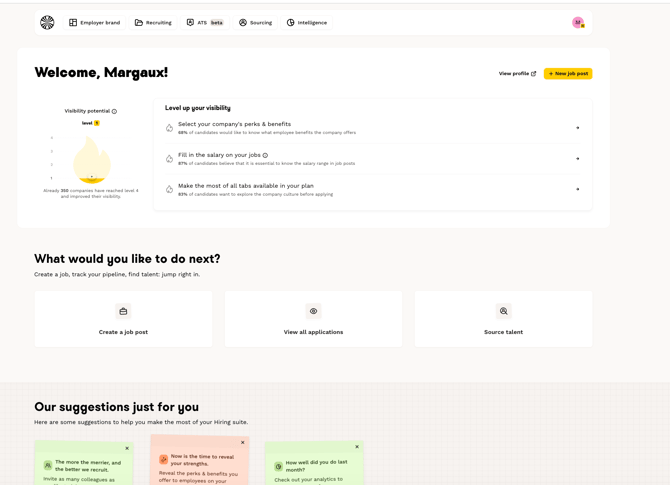
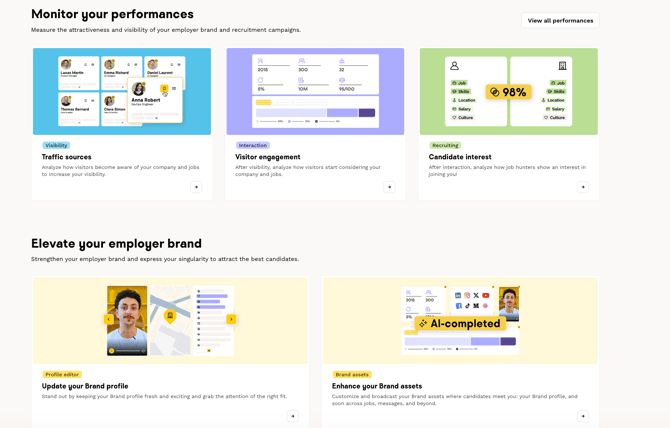
From the homepage, we suggest different actions to take to discover and understand our solutions, as well as our expert content to better develop your employer brand.
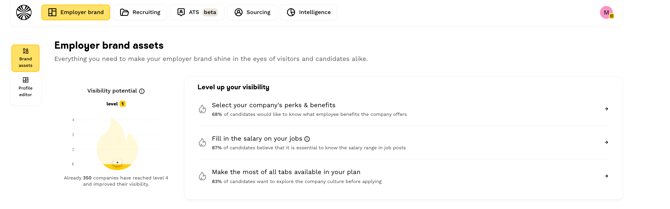
🧭 Navigate easily between solutions
The menu is accessible from each of our solutions, allowing you to easily navigate from one solution to another.

Once you're in each category, you can also view each sub-section to go directly to the feature you need.
⚙️ Manage your organization settings
Do you need to add new members? Change your logo? Or find your billing history?
All settings related to managing your company’s account are available via your avatar in the top-right corner:
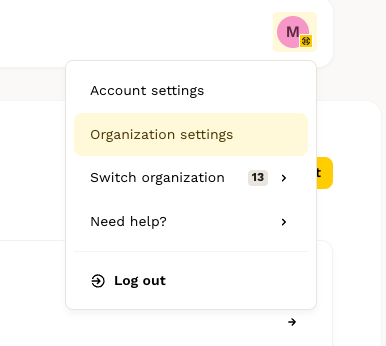
When you click on your avatar, a new window will open where you can select the page of your choice:
-
Account Settings: to manage your own user account
-
Organization Settings: to manage your organization’s general settings on the platform (billing, security, legal, etc.)
-
Switch Organizations: if your account is linked to multiple companies
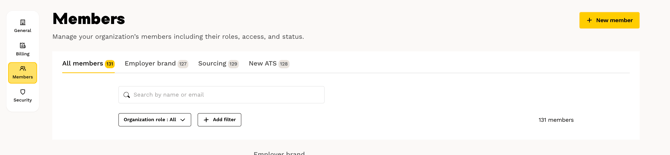
Once you’re in your organization’s settings, you can navigate through each of the pages (General, Billing, Members, Security).
🔒 Important information about subscriptions
Please note, some features mentioned in this article are limited to certain subscriptions. If you would like to discuss with our sales team to update your subscription, write to us on the assistance widget!
❓ FAQ
Q: How do I access the Showcase Editor?
A: From the menu, click on "Employer Brand", you'll find access to the Showcase Editor.
Q: Where can I manage my team members?
A: Click on your avatar in the upper-right corner of the drop-down menu, then select “Organization Settings” and then “Members” to manage adding, removing, or changing the roles of your team members.
Q: How do I navigate quickly between different solutions?
A: Use the menu at the top of the page
Q: Where can I find my statistics and analytics?
A: In the menu, click “Intelligence” to access all your statistics related to your Welcome to the Jungle storefront
🆘 If you have other questions, you can contact us on the assistance widget at the bottom right of the page