
Table of contents
- 👁️ What is the Application Tracker?
- 🛤️ Accessing Your Application Tracker
- 🚦 Understanding Your Application Statuses
- 📋 Advanced Tracker Features
- 📩 Notifications and Automatic Tracking
- ❓ FAQ – Frequently Asked Questions
💡 Have you applied to several job offers and want to organize and monitor the progress of your applications? Welcome to the Jungle provides dedicated tools to centralize and manage all your applications in one place. Discover how to make the most of these features!
👁️ What is the Application Tracker?
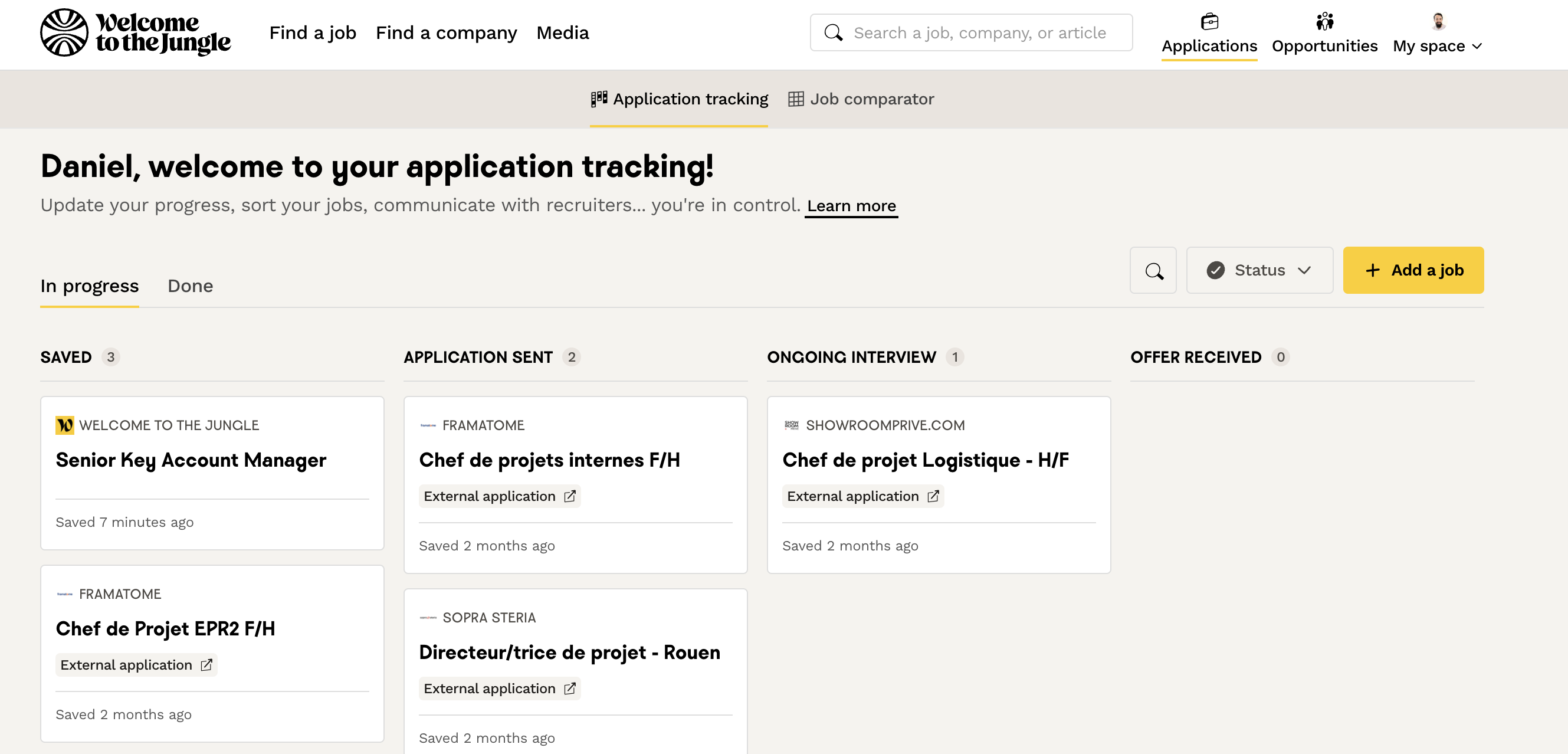
The Application Tracker is a personal Kanban-style board that centralizes all your application data. This tool allows you to:- Save job offers that interest you to apply later
- Automatically check the status of your applications submitted via our site
- Add your applications from external websites
- Take notes during your interviews
- Create cards for your applications outside Welcome to the Jungle
🛤️ Accessing Your Application Tracker
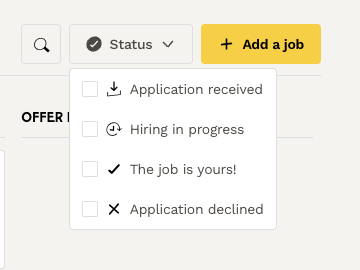
To find your application tracking board, just follow these simple steps:- Go to Welcome to the Jungle
- Log in to your account
- Click on Applications at the top right of your screen
- Select the Application Tracker tab
 Important
🚦 Understanding Your Application Statuses
Your applications are automatically categorized by different statuses that you can filter: 💙 Application received 💛 Recruitment in progress 💚 You got the job! ❤️ Application declined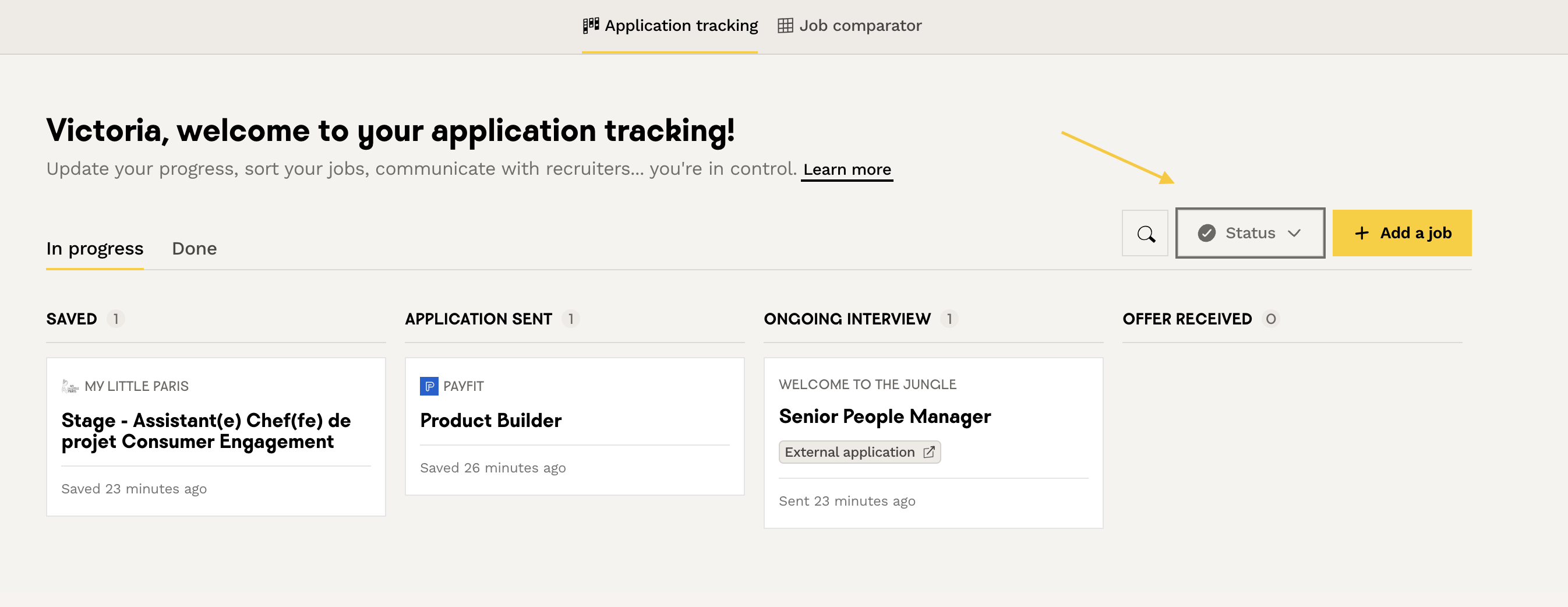
📋 Advanced Tracker Features
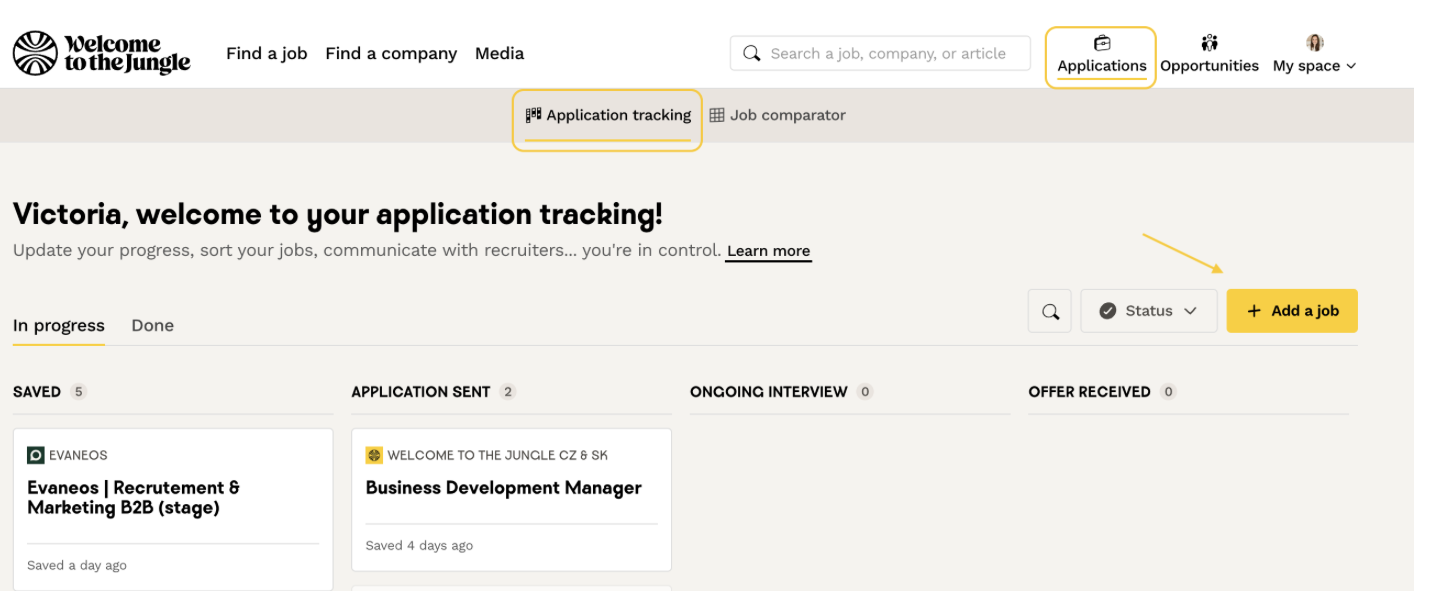
- Save offers: The "Saved" column helps you quickly find all the offers that interest you. You can revisit them at your convenience and dedicate time to each application.

- Add external applications: Click “Add a job” to add applications from other job sites. An “External application” label will be visible on the card.
- Take notes: For each application, you can take notes during interviews and save any key information for your application process.
📩 Notifications and Automatic Tracking
You will automatically receive:- A confirmation email when your application is received
- Email notifications and updates in your personal space each time a recruiter sends you a message
- Updates on the progress of your application statuses
❓ FAQ – Frequently Asked Questions
Q: Why doesn’t my application appear in my space?
A: Wait at least 30 minutes after submission. If it still doesn’t appear, make sure you applied via the Welcome to the Jungle form.
A: Wait at least 30 minutes after submission. If it still doesn’t appear, make sure you applied via the Welcome to the Jungle form.
Q: Can I add applications from other sites?
A: Yes! Use the "Add a job" feature to include your external applications in your tracking board.
A: Yes! Use the "Add a job" feature to include your external applications in your tracking board.
Q: How do I know if my CV has been viewed?
A: The "Recruitment in progress" status means your application has been opened by at least one recruiter.
A: The "Recruitment in progress" status means your application has been opened by at least one recruiter.
Q: What should I do if my application is declined?
A: Feel free to contact the recruiter from your personal space to ask for constructive feedback on your application.
A: Feel free to contact the recruiter from your personal space to ask for constructive feedback on your application.
Q: Can I take notes on my interviews?
A: Absolutely! Each application card has a dedicated space for your personal notes
A: Absolutely! Each application card has a dedicated space for your personal notes
🆘 If you still have questions or doubts, you can contact us via the chat widget on the bottom right, or via our contact form at this link