
Table of contents
- ✅Connect your external ATS
- 🕑I don’t have an external ATS or want to integrate it later
- 👀Track the status of my external ATS integration
- ⛓️💥Disable the integration with my external ATS
🔒 Please note, this article refers to a feature only available for the Pro+ subscription plan. If you have a Starter, Standard or Pro subscription plan, you won’t have access to this step during your onboarding. If you’d like to discuss upgrading your subscription plan with our sales team, reach out to us via the support widget!
You’ve just finished filling in your company information in 4 steps; here is the fifth and final step regarding tool integration.
✅ Connect your external ATS
To automatically post your jobs on your profile via your recruitment tool (external ATS), you can request its integration!
To do this, select the tool you use from the list and grant access.

Can’t find your ATS in the list?
No worries, you can click on the option: "Other (my tool is not on the list)", and a Typeform will open on the right-hand side of your screen, asking you to fill in your ATS details.
⚠️ Make sure to answer all 5 questions. Without this information, the implementation of the integration could be delayed.
Our technical team will then proceed to integrate your recruitment tool with your Welcome to the Jungle profile and will notify you once the integration is activated!
Many articles to guide you are available via Typeform. You can also consult this section of our help center.
🕑 I don’t have an external ATS or want to integrate it later
In both cases, you can click the "Not now" option.
-
If you don't have an external ATS, no worries! You can use our Welcome to the Jungle ATS, which is directly available on the platform.
-
If you wish to proceed with the integration later:
- The person responsible for your company's onboarding will be able to go back to this step from the homepage.
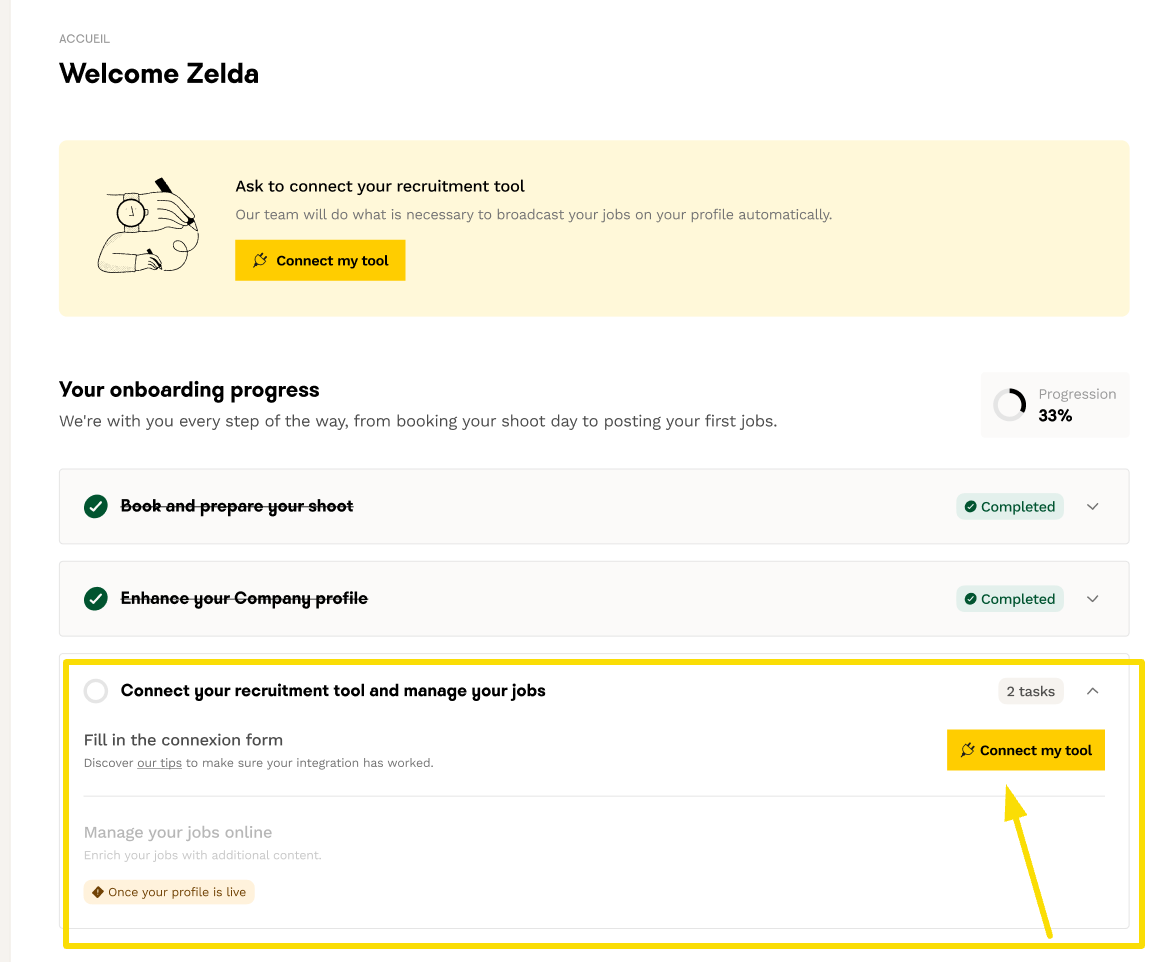
- If you prefer to provide this information much later, we invite you to contact your account manager or our support team when you're ready for the integration. In the meantime, we encourage you to manually create the job posts to be published on your profile via the Welcome to the Jungle ATS!
👀 Track the status of my external ATS integration
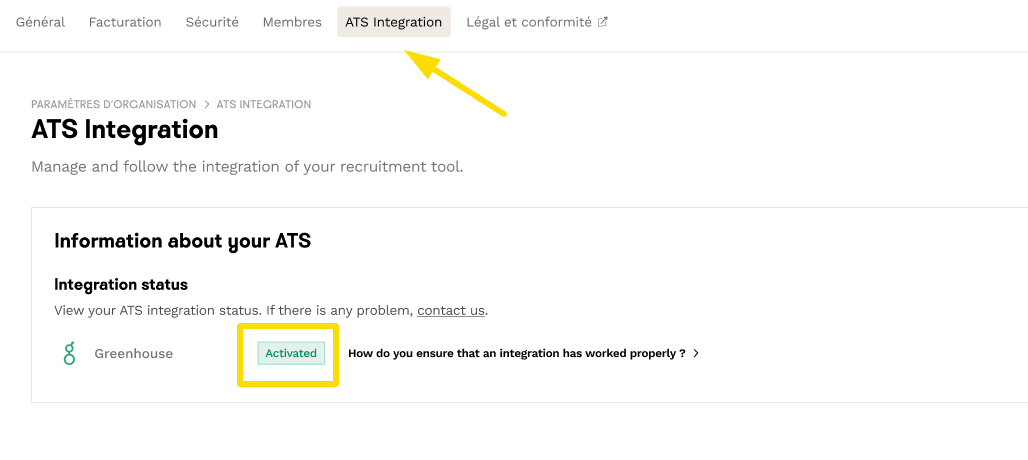
You can monitor the status of your integration from the "organization settings" under the "ATS Integration" tab:
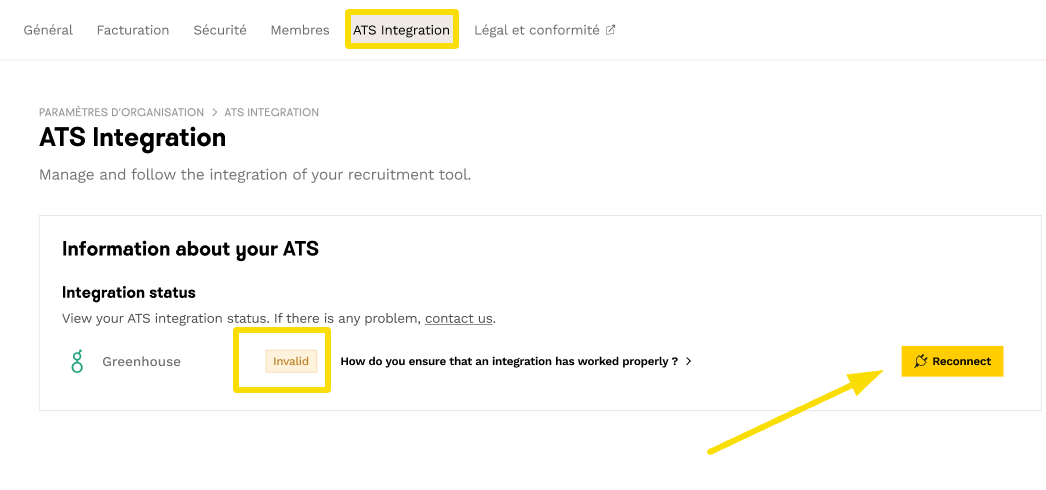
- If the integration fails, you will have the option to try the connection again:
⛓️💥 Disable the integration with my external ATS
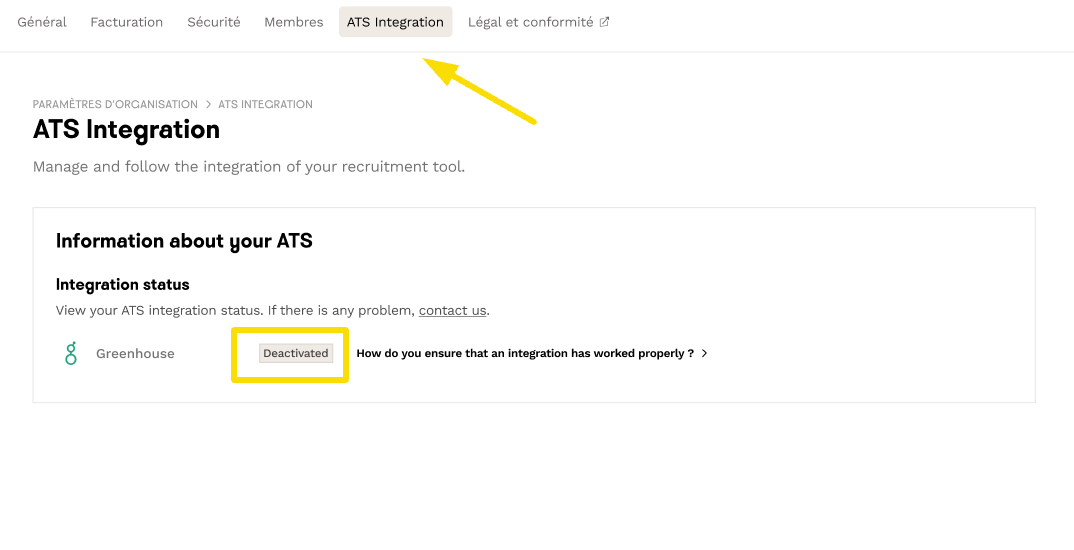
If you no longer need your external ATS, you will need to contact our teams so that we can disable the integration.
Once the action is taken, it will appear as deactivated in the "Integration Status" section.
You now have all the tools to activate or disactivate the integration with your external ATS!
🆘 Of course, our Care team is available if you have any questions! To contact us, click on the widget at the bottom right of this article or the "Help" button on the platform.