
Table of contents
- 🛠️ Where to find Advanced Analytics?
- 📈 The difference between "Simple" and "Advanced" statistics
- 🔎 Compare Your Data with Your Competitors (Benchmark)
- 📁 Export Your Data
💡 If you want to have more data on the performance of your job posts, to dispose of an accurate analysis of the competition, and to be able to export data from Welcome to the Jungle with just one click, this article is for you!
🛠️ Where to find Advanced Analytics?
Statistics are accessible from your Welcome to the Jungle Solutions ATS dashboard on the left menu by clicking on: "Analytics" 📊 :

📈 The difference between "Simple" and "Advanced" statistics
"Regular" Analytics allow you to understand the impact of your company profile.
They include:
- The Overview, to view the number of unique visitors on your profile and your key figures
- The Employer Brand section, to analyze the visibility of your profile and your interaction performances
- The Recruiting section, to analyze how candidates show an interest in joining your team (for more information, click 👉 here).
- And finally, the Audience section, to analyze your visitors' profiles and better target your future candidates.
"Advanced" Analytics also include benchmarking and the possibility to export data in CSV format.
🔎 Compare Your Data with Your Competitors (Benchmark)
You can use the following data to compare the performance of your profile and job posts over the months with those of a similar industry and company size. You can specifically compare the number of unique visitors, page views, engagement rate, and click-through rate. This allows you to observe differences between your company and the reference industry, helping you identify areas where you can enhance your performance.
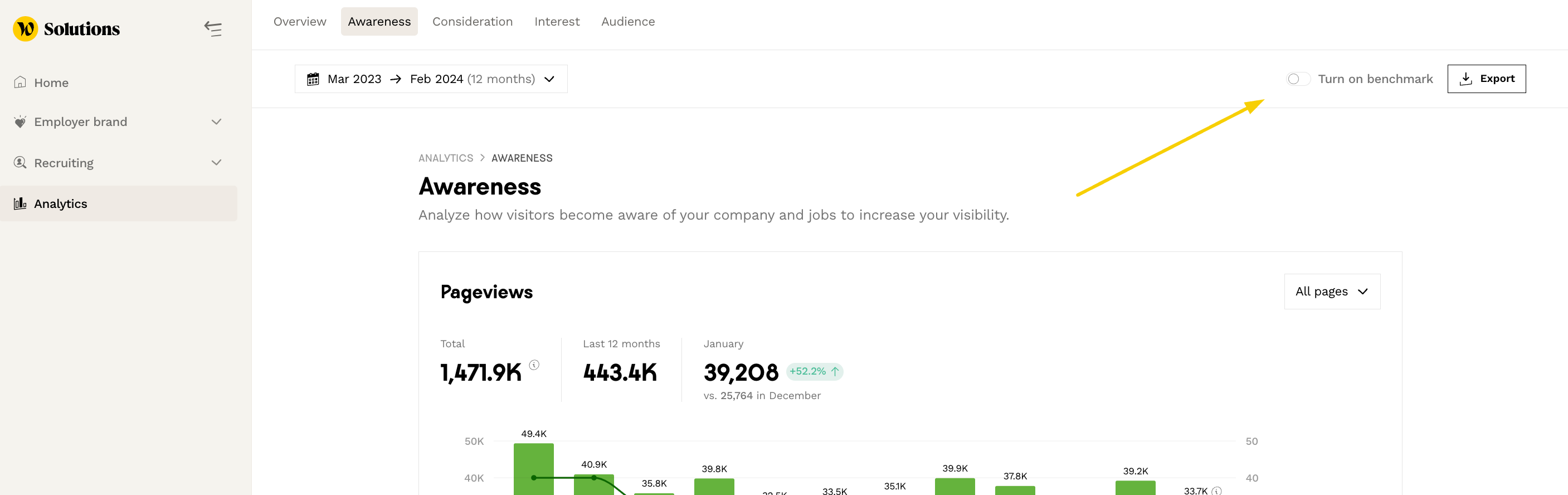
To do this, go to the Benchmark section and select the Sector and Size. It can be accessed from the Employer Brand section in the Visibility and Interaction tabs
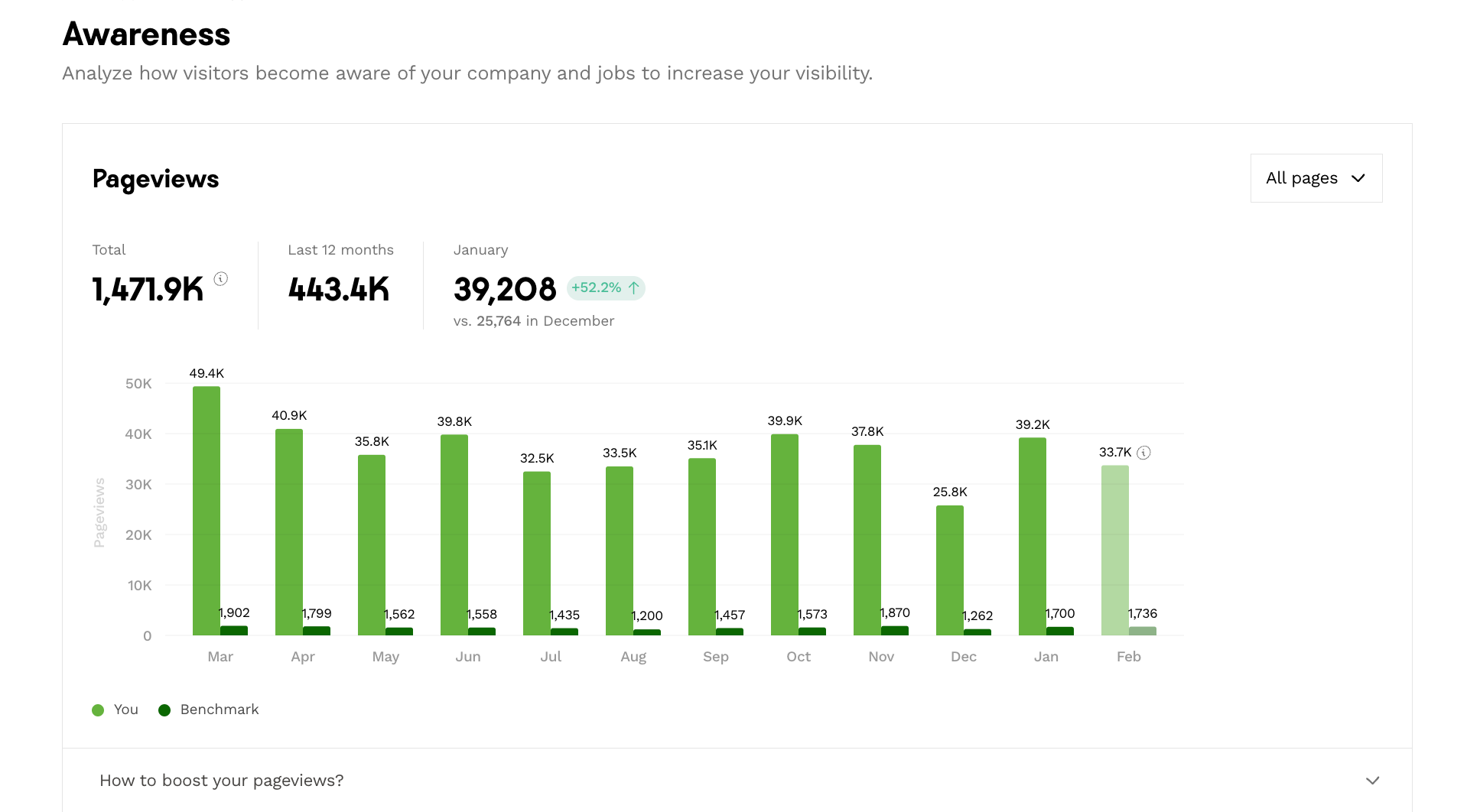
You'll then be able to view your graphs, with one column representing your company and a second representing the benchmark, so you can make a comparison:
You will then have access to your graphs with one column representing your company and a second one representing the benchmark, allowing you to make comparisons:

📁 Export Your Data
You have the option to export your profile and job posts data in CSV format by clicking on "Export" at the top right of the page:

Currently, this export is only available in CSV format. Feel free to provide feedback if needed.
🔒 This feature is not available for all Welcome to the Jungle Solutions subscription plans. If you do not have access to this feature and wish to discuss upgrading your subscription, please write to us using the support widget!
🆘 If you have any other questions, you can contact us using the support widget at the bottom right or via the contact form at this link.