
Table of contents
- 🧑🧑🧒 Create a team from the asset
- ➕ Add members to a team
- 🎛️Publish and associate your teams with a job
💡 This feature is currently in beta testing and is therefore not available to all our customers. (Pro/Pro+/ Master / Premium and expert)
🧑🧑🧒 Create a team from the asset
From the menu, go to "Employer brand" > "Employer Brand assets" > "Meet your team":
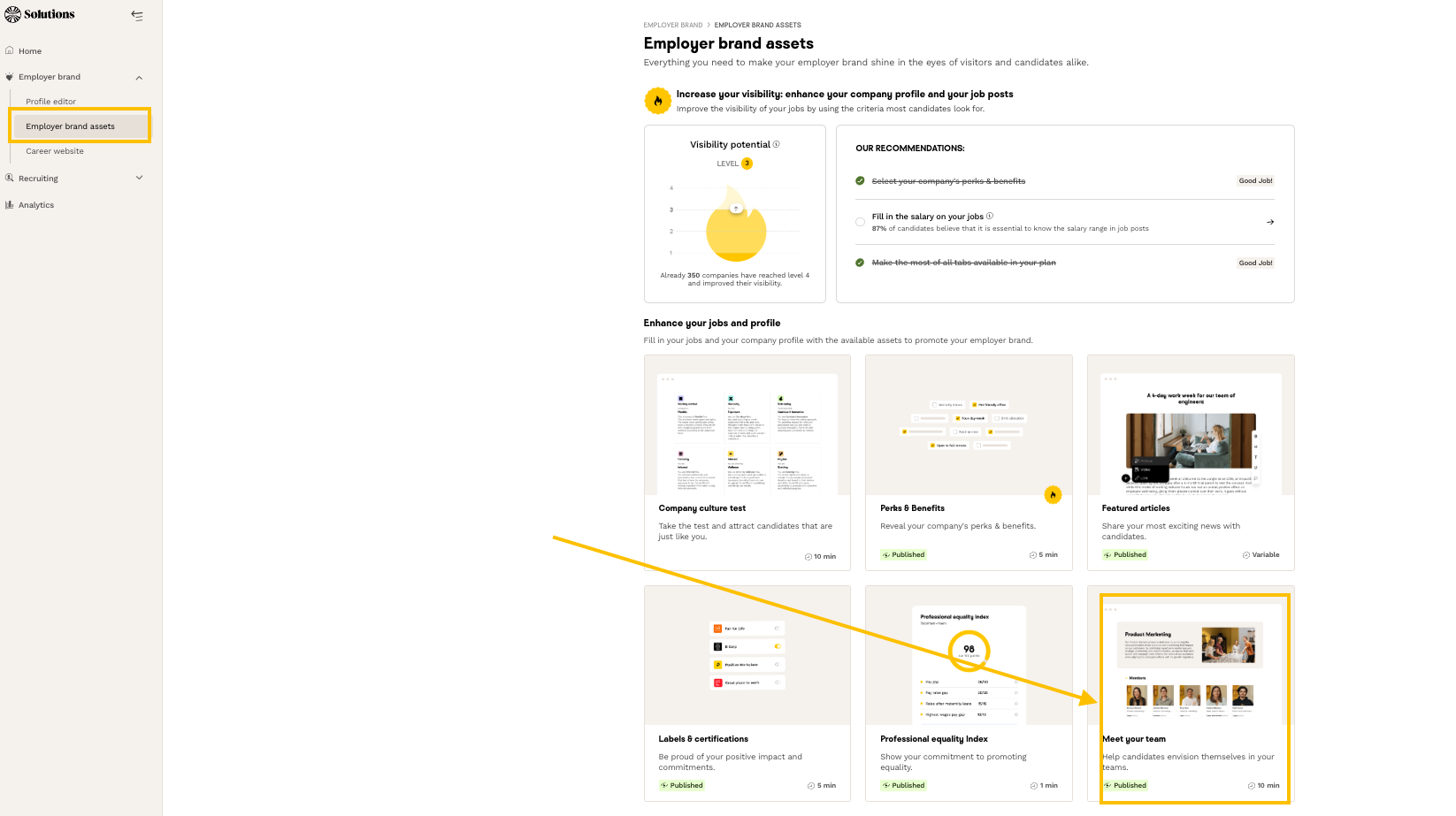
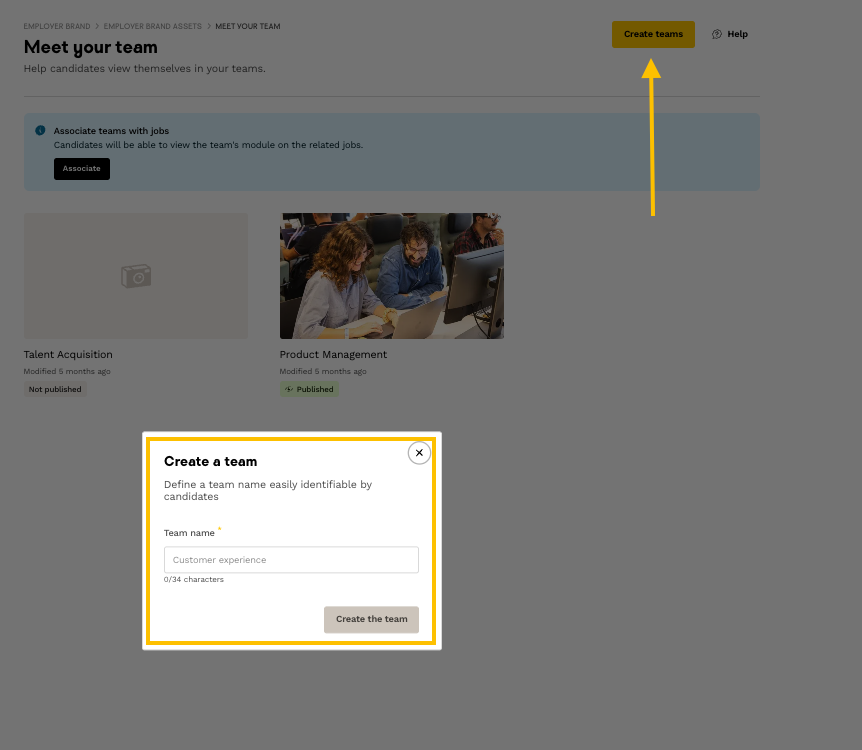
Now's the time to create your first team! Give it a name, making sure it's easy for candidates to understand.
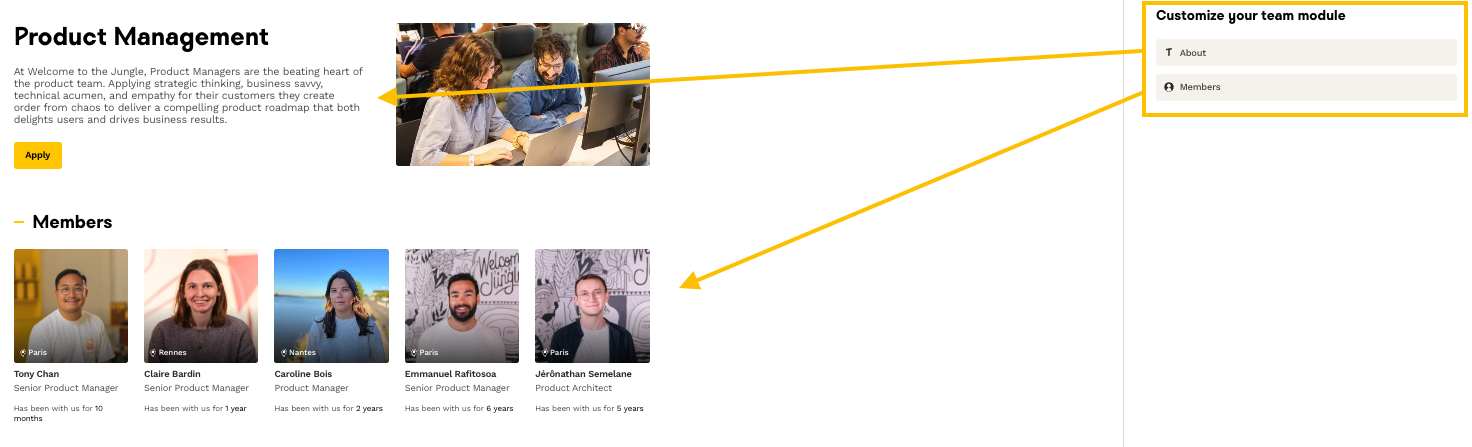
You will then be able to:
- Add a picture and a description of the team in the "About" section.
- Add the collaborators working in this team in the "Members" section.
➕ Add members to a team
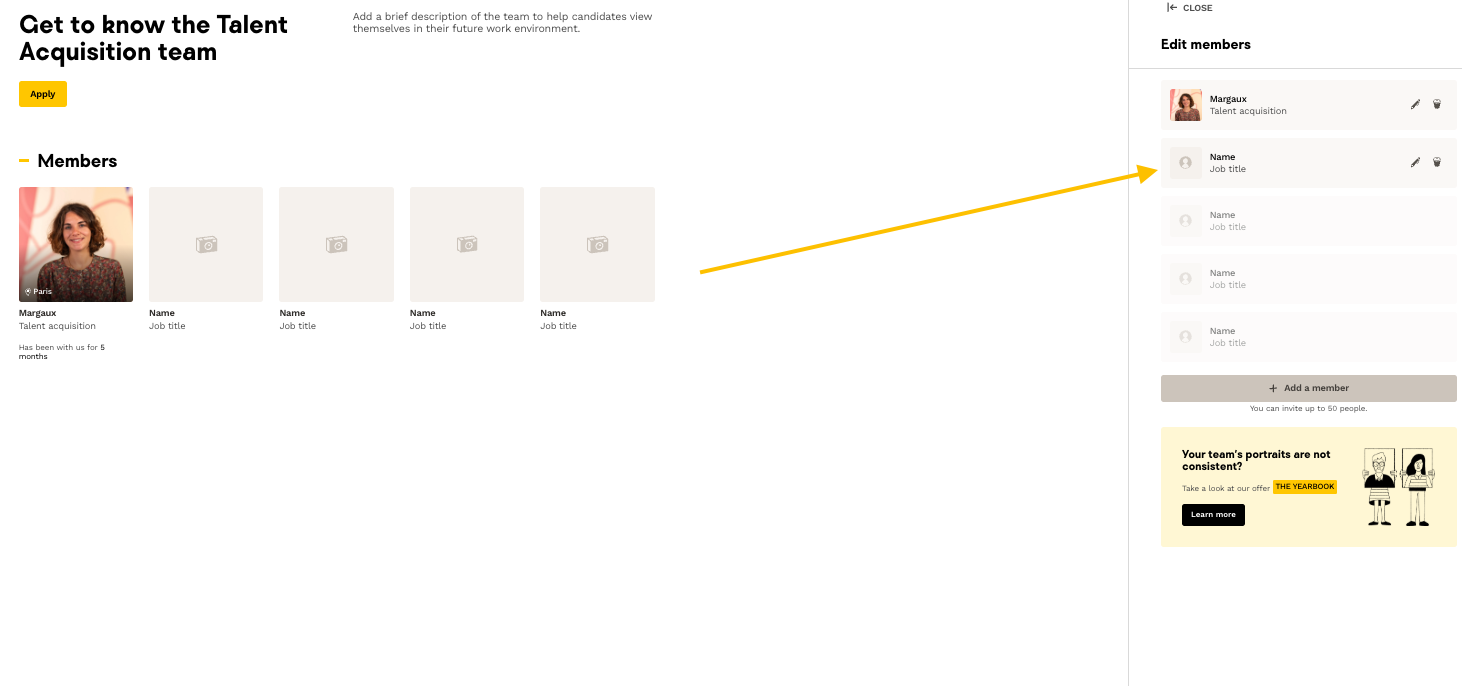
During this step, you'll be able to highlight some team members and give more information about them, so that candidates can better envision themselves working with them.
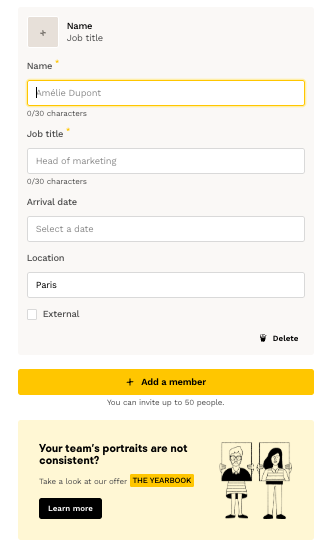
Add a photo, their name, job title and, if you wish, date of arrival and location.
You can repeat the process as many times as there are members in the team, up to a limit of 50.
If you don't have any portrait photos of your employees, don't panic, we offer a package of photos immortalizing your collaborators' most beautiful smiles! Get an appointment here 📸
Your team is now complete! All that's left to do is publish it and associate it with the right jobs.
🎛️ Publish and associate your teams with a job
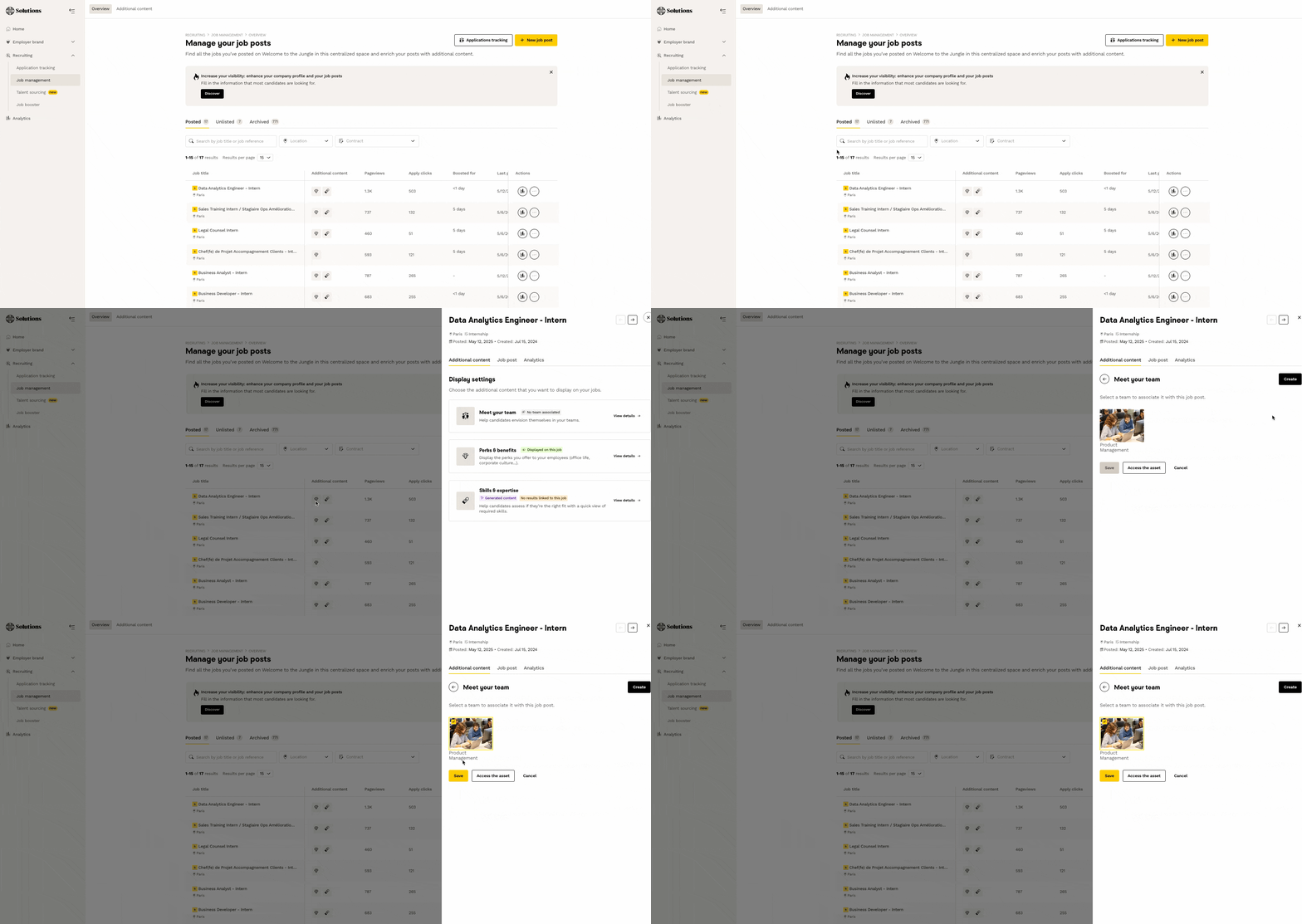
Now that your team is complete, all you have to do is associate it with a published job.
To do this, go to the "Job management" > "Additional content" section and follow these steps:
🆘 If you have any further questions, you can contact us using the support widget at bottom right, or the contact format this link