
💡 If your mailbox is always full, and you're not interested anymore into our hot news, companies and jobs, then... this article will tell you how to unsubscribe from our newsletter 💔!
- Open a newsletter like the one in the picture below:

- Scroll down to the bottom of the page. You will find the option “Unsubscribe”

- A window will open so that you can update your subscriptions :
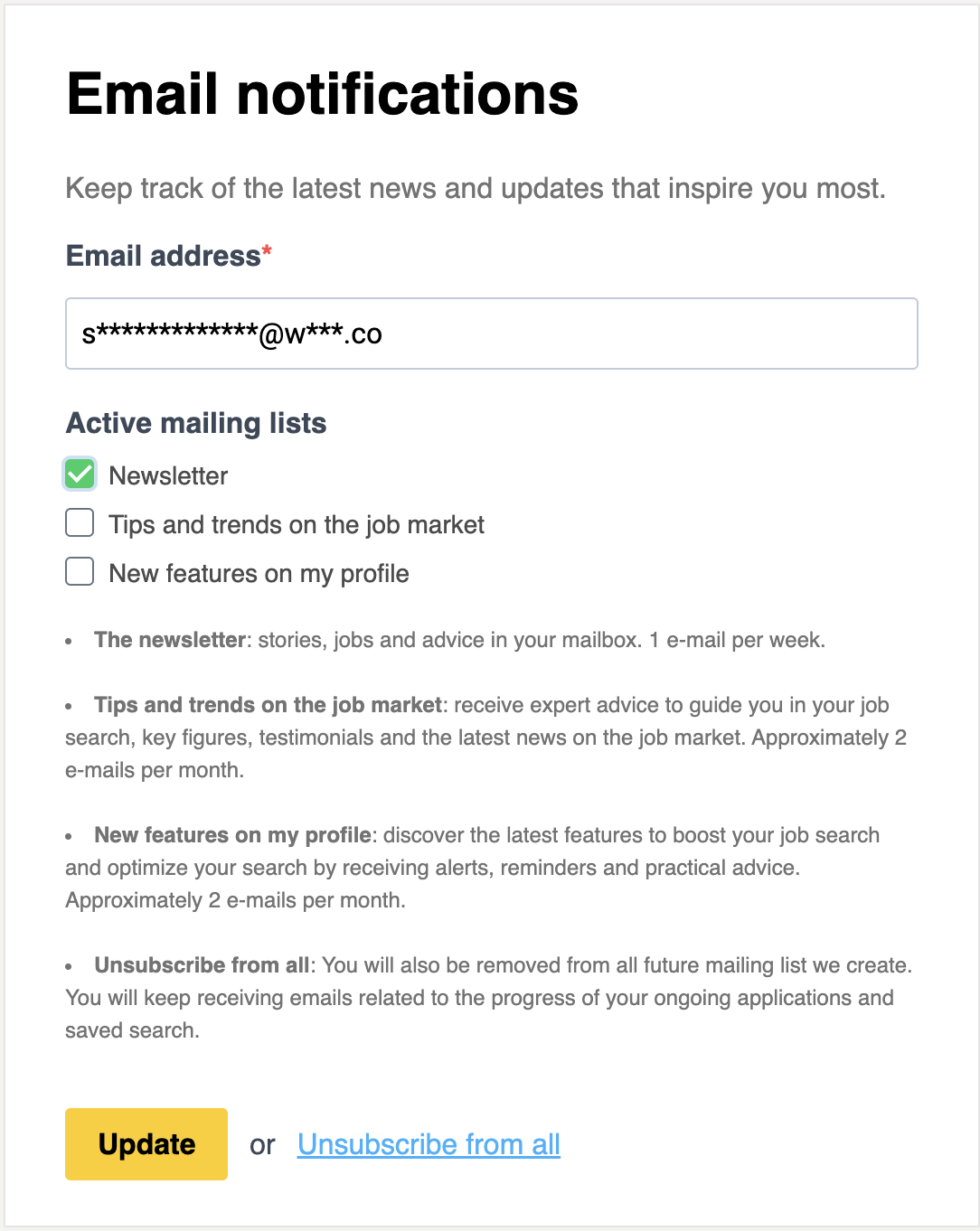
- Select the lists you want to be susbscribed to or that you want to unsubscribe from
- Then click on "Update" and a confirmation message will appear as follow :

⚠️ If don't make it to unsubscribe to the newsletter, contact us for help!
🆘 If you still have questions or doubts, you can contact us via the chat widget on the bottom right, or via our contact form at this link