
Table of contents
- ⚙️ How do job suggestions work?
- 🔔 How do I activate job post suggestions?
- 🗂️ Manage your job suggestions
- Save a suggested job
- Remove a suggested job
💡 If you want to target jobs that match your profile with a single look, our suggested jobs are just what you need!
⚙️ How do job suggestions work?
Based on the job you're looking for and your experience, our algorithm submits up to 6 jobs a day that might interest you. You can save these jobs, or even apply for them directly! The suggestions will change according to your searches, the changes you make to your profile and the new opportunities available on our site.
This feature will help you discover jobs that suit you faster. Your dream job is sure to be hidden among these suggestions! ✨
🔔 How do I activate job post suggestions?
The next time you log in, from your Profile page, we'll invite you to complete your Welcome to the Jungle profile, and in particular these two sections:
- Target Job: fill in the job title, location and level of experience.
- Work Experience: by filling in at least one work experience or by uploading your CV directly.
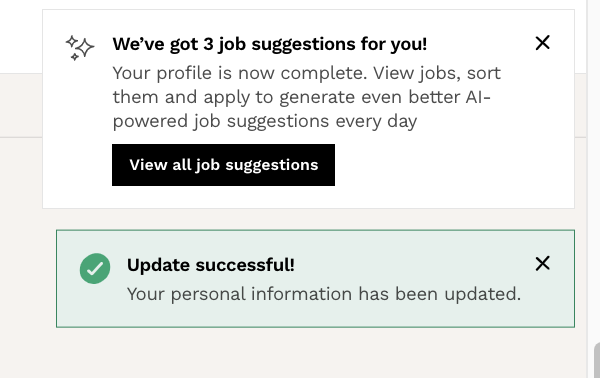
Once you've filled in this information, you'll start receiving job suggestions instantly:
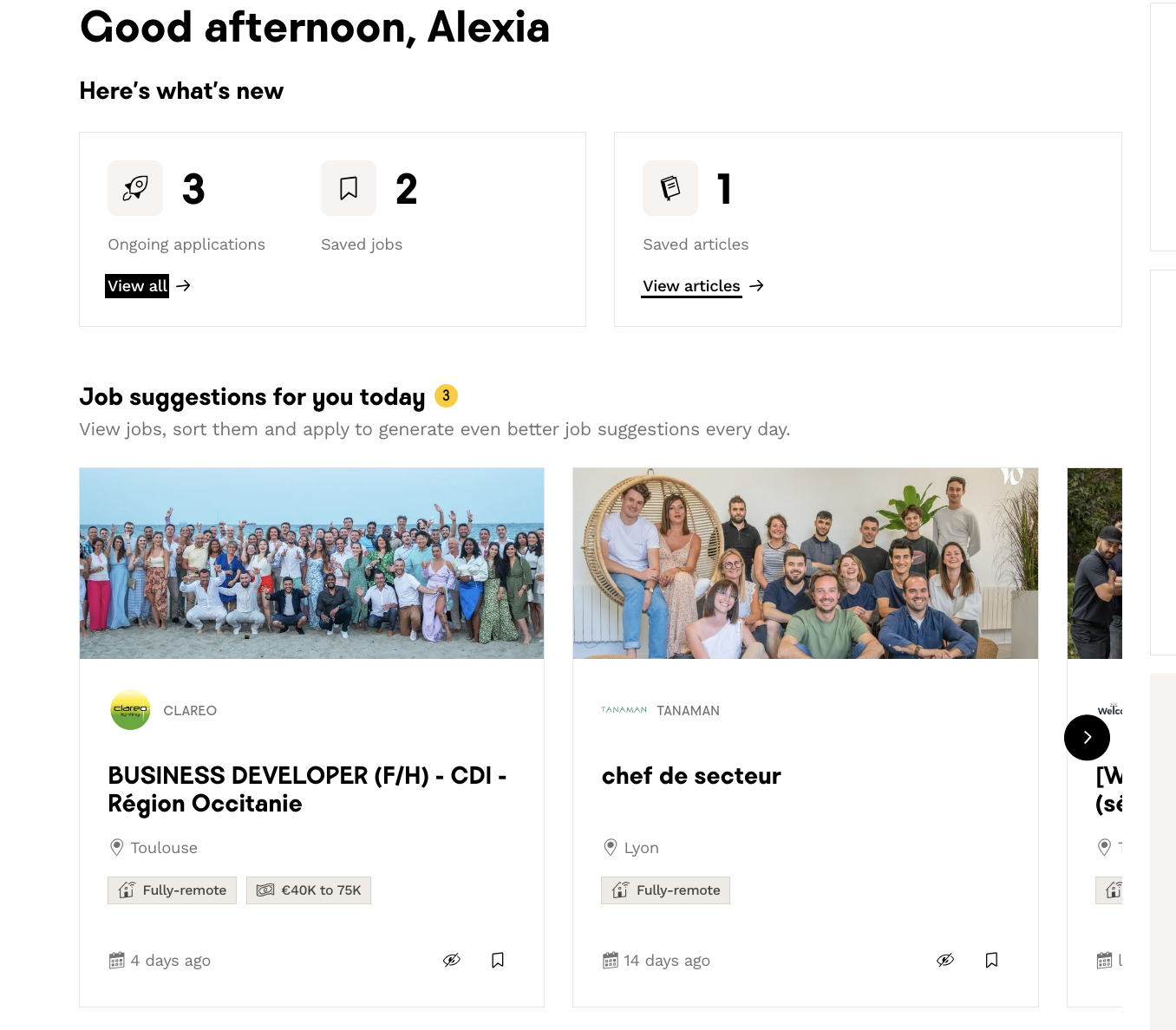
You'll find these suggestions on the home page, as well as on the "Find a Job" tab:
💡If you have no suggestions after completing your profile, don't worry! New suggestions will be offered as opportunities open up on our site. At the same time, don't hesitate to modify your profile information by detailing your experience and being more specific about the job you're looking for.
🗂️ Manage your job suggestions
Save a suggested job
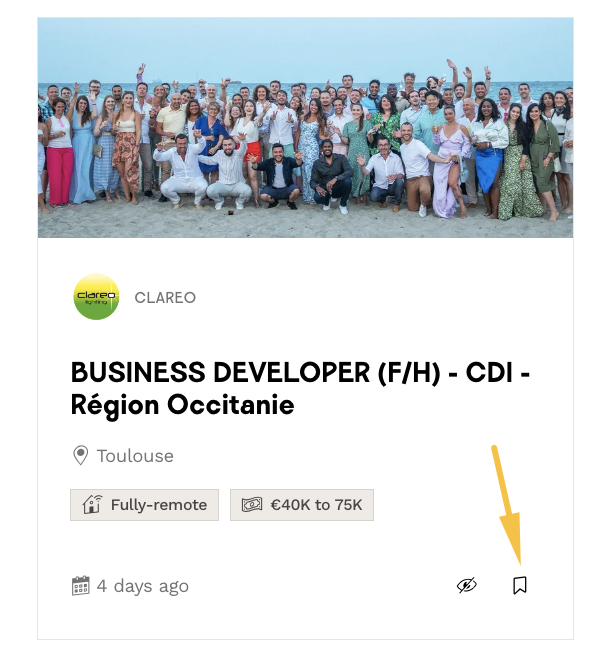
You are interested in one or more of your suggested jobs, but want to study them at your own pace? You can save jobs using the “bookmark” icon in the bottom right-hand corner of the job suggestion card:
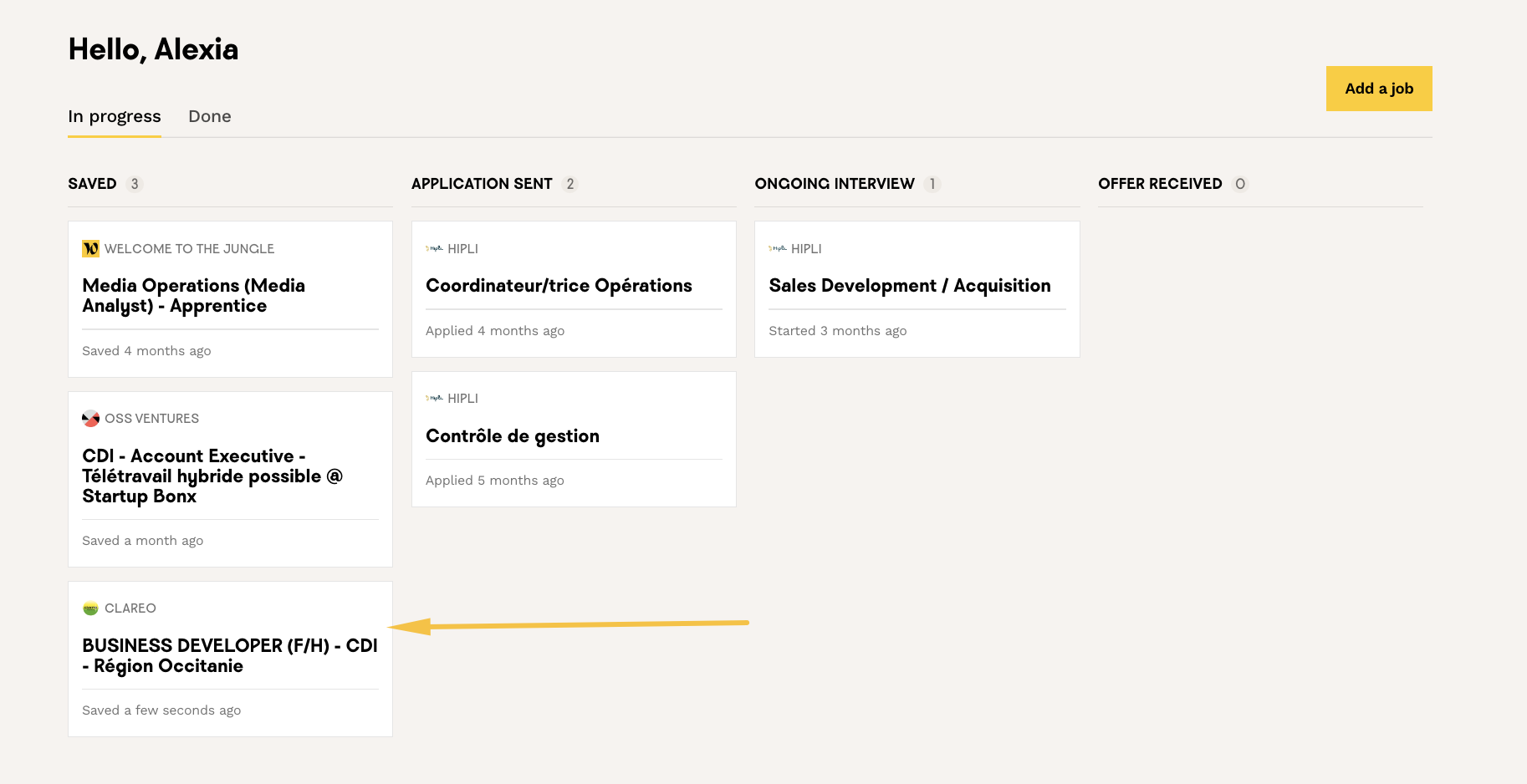
You will then find the job on your home page and your application tracking board:
Remove a suggested job
If the suggested jobs don't match your search, you can choose to hide them using the "eye" icon below:
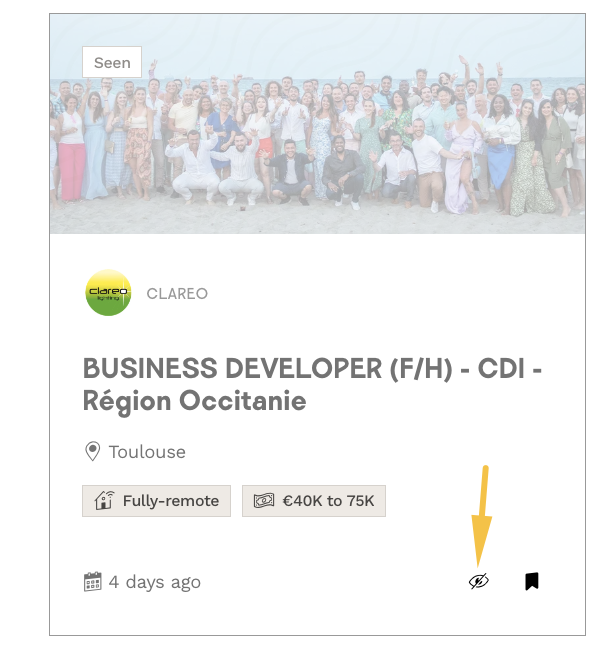
If you click on the icon, a message will appear to confirm your choice or cancel it if necessary:
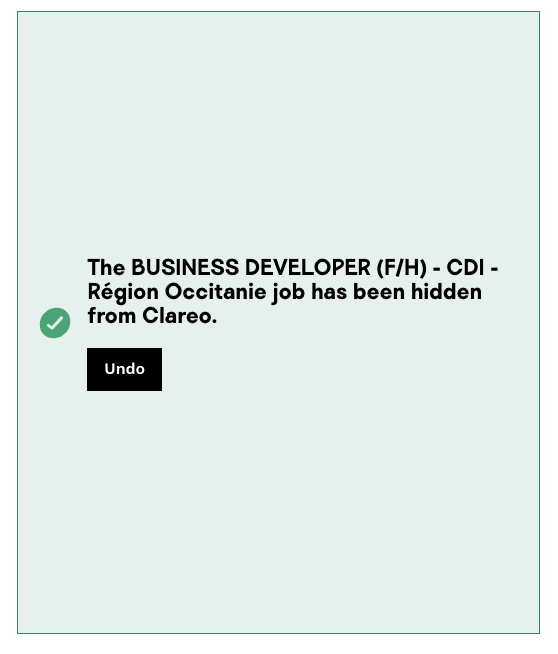
⚠️ Please note that if you haven't saved the job first, the job suggestion will be deleted from your suggestion view and cannot be retrieved! But don't worry, you'll still be able to find this job from the search results on our "Find a job" page.
Now you know all the secrets of this feature! We hope you enjoy it as much as we do 🥰.
To this occasion, we've made available a survey directly on your Candidate Space, so don't hesitate to fill it in and share your opinion with us!
🆘 If you have any further questions, you can contact us on the support widget at bottom right, or on the contact form at this link.